

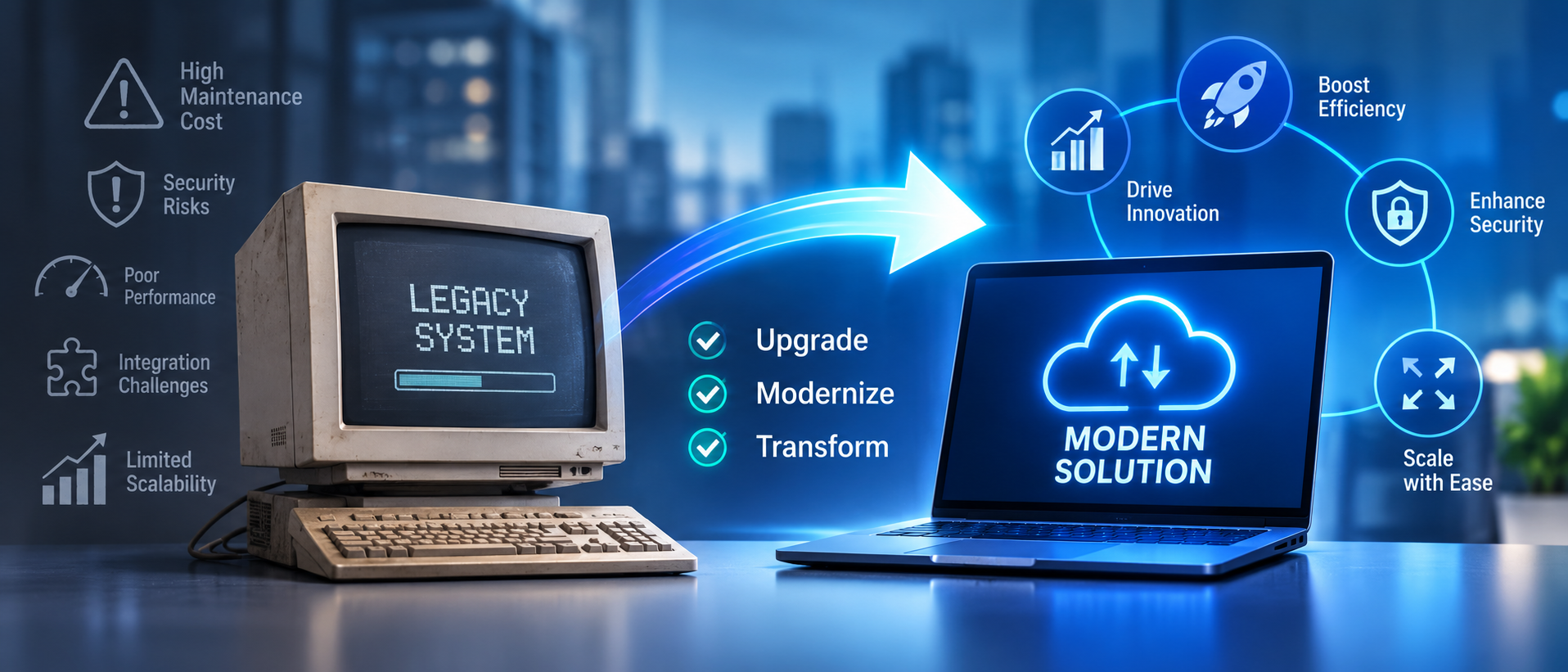
A software system does not become a business problem simply because it has been running for ten or fifteen years. Some older applications continue to perform essential tasks reliably, support well-understood processes, and deliver value without requiring major investment. Replacing them just because newer technologies exist can create unnecessary expense and operational disruption.
The real concern begins when the software that once supported business growth starts restricting it.
A legacy application may still process orders, manage customer records, or handle financial operations. But if every new feature takes months to develop, integrations require manual work, security updates become difficult, and a small change risks disrupting the entire system, the organisation may be paying a growing price for keeping things as they are.
This is where Software Modernization becomes a strategic business decision rather than a routine IT upgrade.
Modernizing legacy software can help organisations improve system performance, strengthen security, connect applications, simplify maintenance, support cloud adoption, and prepare their technology infrastructure for automation and artificial intelligence. However, not every application needs to be rebuilt, and not every cloud migration delivers meaningful business value.
The important question is not simply whether a business should modernize its software. It is which systems need attention, when to act, and which modernization approach will produce the best long-term outcome.
This guide explains how to recognise the warning signs, evaluate the business case, choose the right modernization strategy, manage implementation risks, and plan a practical upgrade without unnecessarily disrupting existing operations.
What Is Software Modernization?
Software modernization is the process of improving, restructuring, upgrading, or replacing existing software so that it can meet current business, technical, security, and operational requirements.
It can involve changing an application's architecture, updating outdated programming frameworks, replacing unsupported components, improving databases, moving workloads to cloud infrastructure, introducing APIs, or rebuilding selected functions using modern technologies.
The objective is not necessarily to make every application brand new. It is to make the existing technology environment more capable, maintainable, secure, and adaptable.
For example, consider a company that uses a custom-built order management system developed more than a decade ago. The application still handles orders correctly, but it cannot easily connect with the company's new CRM, warehouse platform, or reporting tools. Employees export spreadsheets and transfer information manually between systems.
A complete replacement might be expensive and risky. A more practical software modernization strategy could introduce API integrations, upgrade the database, replace the outdated user interface, and gradually move selected components to a modern architecture.
The company retains valuable business logic while removing the limitations that prevent it from improving operations.
Software Modernization vs. Software Replacement
These terms are related, but they do not mean the same thing.
| Area | Software Modernization | Complete Software Replacement |
|---|---|---|
| Existing application | Improves or restructures selected components | Replaces the existing application |
| Business logic | Preserved where it remains valuable | Recreated or redesigned |
| Implementation | Can be delivered incrementally | Usually involves a larger transition |
| Risk | Can be controlled through phased changes | May involve significant migration and adoption risks |
| Cost | Depends on the components being modernized | Can be higher due to redevelopment and data migration |
| Best suited for | Systems with useful functionality but growing limitations | Systems that are no longer viable or fit for purpose |
A business should not automatically choose replacement over modernization. The right decision depends on the condition of the application, the quality of its architecture, its business importance, and the cost of maintaining it.
Why Software Modernization Has Become a Business Priority
Modern businesses expect their technology to support faster decisions, connected operations, digital customer experiences, and continuous product improvement. Older applications were often designed for a different operating environment.
They may have been built for a single office, a limited number of users, a specific hardware platform, or a business process that has since changed.
As organisations grow, these assumptions become harder to maintain.
A 2025 Ensono report based on a survey of 500 IT decision-makers from large organisations in the United States and United Kingdom highlights the pressure. It found that 57% of respondents said their IT teams spent most of their time maintaining day-to-day operations. Only 25% of their time was allocated to innovation. The report also found that 49% said the actual cost of maintaining legacy systems was higher than expected over the previous year.
These findings illustrate an important problem: technology maintenance can consume the resources that businesses need to improve their products and operations.
Source: Ensono, The State of IT Modernization 2025.
What Is Driving Modernization Investment?
The same Ensono research identified several reasons organisations were considering IT modernization.
| Modernization driver | Respondents |
|---|---|
| Increasing security vulnerabilities, loss of support, or downtime | 49% |
| Difficulty releasing features and products quickly enough | 37% |
| Rising maintenance costs | 32% |
| Existing systems consuming budgets needed for innovation | 31% |
| Competitive pressure | 29% |
<text>Source: Ensono, The State of IT Modernization 2025. Survey of 500 IT decision-makers in US and UK enterprises with at least $500 million in annual revenue. Multiple responses were possible.</text>
These figures are useful because they show that modernization is not driven by technology fashion alone. Security, operational continuity, delivery speed, and financial pressure are all part of the decision.
10 Signs Your Business May Need Software Modernization
An application can be old and still be fit for purpose. The following signs are more meaningful than its age because they reveal how the system affects business performance.
1. Maintenance Costs Keep Increasing
One of the clearest warning signs is when maintaining an existing application requires more effort and money every year.
The original development team may no longer be available. The application may depend on outdated frameworks, unsupported libraries, or specialised technical knowledge that is difficult to find. Even minor changes can require developers to investigate complex dependencies before touching the code.
Over time, the organisation spends more on keeping the application operational and less on improving it.
Businesses should examine:
- Annual application maintenance and support costs.
- Time spent fixing recurring defects.
- Cost of maintaining outdated infrastructure.
- Developer effort required for small enhancements.
- Third-party licensing and support expenses.
- Cost of specialist skills needed to maintain the system.
The important comparison is not simply the maintenance bill against the cost of a new application. It is the total cost of continuing with the existing system versus the expected cost and business value of modernizing it.
2. The Software Cannot Integrate Easily With Modern Applications
Businesses rarely operate through one application. They depend on CRM platforms, ERP systems, payment gateways, analytics tools, cloud services, HR platforms, and customer-facing applications.
Older software may not provide modern APIs or may rely on proprietary interfaces, direct database connections, file transfers, and manual processes.
For example, a distribution company might use separate systems for inventory, sales, purchasing, and delivery management. If these applications cannot exchange information reliably, employees may have to update the same records in multiple places.
This creates:
- Duplicate data entry.
- Inconsistent business records.
- Delayed reporting.
- More manual work.
- Limited visibility across departments.
- Difficulty introducing new digital services.
Application modernization can address these problems through API development, integration layers, event-driven communication, and improved data architecture.
It is particularly valuable when a business wants to connect existing systems with modern cloud applications without replacing every platform at once.
3. Security Updates and Vendor Support Are Becoming Difficult
Unsupported software is a serious operational and cybersecurity concern.
When a software vendor ends support for an operating system, framework, database, or application component, organisations may no longer receive regular security fixes. The business may have to rely on compensating controls, custom patches, or specialist maintenance.
Older applications can also depend on outdated authentication methods, weak encryption configurations, insecure libraries, and components that are difficult to update.
Warning signs include:
- Operating systems or databases that have reached end of support.
- Frameworks with no active security maintenance.
- Unsupported third-party libraries.
- Difficulty applying security patches.
- Limited logging and monitoring.
- Weak identity and access controls.
- Inability to meet current compliance requirements.
The Australian Cyber Security Centre's guidance on managing legacy IT risks recommends replacing outdated systems with supported technology where practical and applying temporary security measures while replacement is being planned.
Source: Australian Cyber Security Centre – Managing the Risks of Legacy IT.
A business should not wait for a security incident before evaluating an unsupported system. The absence of a recent breach does not mean the application is safe.
4. Application Performance Is Affecting Employees or Customers
Performance problems often become visible gradually.
Reports take longer to generate. Search functions become slower as records increase. Employees experience delays during peak hours. Customers abandon transactions because pages or workflows take too long to respond.
These issues may be caused by outdated infrastructure, inefficient database queries, tightly coupled application components, poor caching, or architecture that cannot scale with demand.
Before deciding to modernize, businesses should identify the actual bottleneck. Sometimes a database upgrade, infrastructure improvement, or targeted code refactoring is enough. In other situations, the application architecture itself may need to change.
The goal should be measurable improvement in response time, throughput, reliability, and user experience—not simply moving the same inefficient application to a new server.
5. New Features Take Too Long to Develop
A software platform should allow a business to respond to changing requirements.
If every enhancement requires extensive code changes, multiple teams, lengthy testing, and significant regression risk, the architecture may be limiting development.
For example, a financial services company may want to introduce a new customer onboarding process. Its existing application may contain business rules, user interfaces, and database operations tightly connected in one large codebase. Changing the onboarding workflow could affect unrelated functions.
This is a common challenge with tightly coupled monolithic applications.
Modernization may involve:
- Separating business functions into well-defined modules.
- Introducing service-oriented or microservices architecture where justified.
- Creating reusable APIs.
- Improving automated testing.
- Establishing CI/CD pipelines.
- Reducing dependencies between application components.
A modular monolith can also be a sensible modernization target. Microservices are not automatically better; they introduce additional deployment, monitoring, networking, and operational complexity.
6. The Business Depends on Manual Workarounds
A system can appear functional because employees have developed ways to work around its limitations.
They may maintain separate spreadsheets, export reports manually, re-enter customer information, or contact IT whenever a process fails.
These workarounds are easy to overlook because they have become part of everyday operations.
However, they create hidden costs and operational risks. Knowledge may be concentrated in a few employees, records can become inconsistent, and important processes may fail when someone is unavailable.
A modernization assessment should examine the complete business workflow, not only the software itself.
Ask employees:
- Which tasks do they complete outside the main application?
- Where do they copy or re-enter information?
- Which reports require manual preparation?
- What happens when an integration fails?
- Which activities depend on one person's technical knowledge?
These answers can reveal modernization opportunities that a code review alone may not identify.
7. The Application Cannot Support Business Growth
A system designed for a small team may struggle when the organisation expands into new markets, adds business units, increases transaction volumes, or introduces new services.
The limitation might be related to database capacity, infrastructure, application architecture, licensing, or the way the system handles concurrent users.
Businesses should review whether the application can support:
- More users and transactions.
- New locations and business units.
- Higher data volumes.
- Multiple currencies, languages, or regulatory environments.
- Remote and distributed teams.
- New customer-facing services.
- Seasonal or unpredictable demand.
If growth requires repeated infrastructure upgrades or complex workarounds, a more scalable architecture may be necessary.
8. The User Experience Feels Outdated
An application may be technically stable but difficult to use.
Employees may need extensive training to complete routine tasks. Customers may struggle with confusing navigation, limited mobile support, or outdated interfaces.
Poor usability can reduce productivity, increase support requests, and affect customer satisfaction.
Modernization does not always require rebuilding the entire backend. A business may be able to preserve its core processing system while introducing a modern frontend, improving accessibility, simplifying workflows, and making the application responsive across devices.
9. The Business Cannot Use Data Effectively
Legacy systems often store information in separate databases, inconsistent formats, or application-specific structures.
This makes it difficult to create a reliable view of business performance.
For example, sales data may sit in one application, customer service records in another, and inventory information in a third. Management teams may receive reports that are delayed or require manual reconciliation.
Modern data architecture, integration services, data pipelines, and governed access can help organisations make information available to analytics and reporting platforms.
This is also important for businesses exploring AI. An AI application cannot produce dependable business value if the underlying data is inaccessible, inconsistent, or poorly governed.
10. The Technology Is Blocking AI and Automation Initiatives
Many organisations want to introduce AI assistants, intelligent document processing, predictive analytics, or workflow automation.
However, their existing applications may not expose the data and functions required for these solutions.
For example, an AI-powered service assistant may need to retrieve order information, check inventory, and create a support ticket. If the legacy applications have no secure integration interfaces, the business may struggle to connect them.
Software modernization can create the foundations for these initiatives through:
- API-enabled application functions.
- Better data quality and accessibility.
- Secure identity and permission management.
- Modern integration architecture.
- Event-driven workflows.
- Cloud infrastructure and scalable deployment.
- Monitoring and governance.
Modernization does not mean every legacy application needs to be replaced before AI can be introduced. In many cases, targeted integration and data improvements are sufficient to support an initial use case.
When Should a Business Upgrade Legacy Software?
There is no universal age at which software must be replaced. A fifteen-year-old application with supported infrastructure, strong security, stable performance, and manageable maintenance costs may remain useful.
A five-year-old application can already be a serious business constraint if it has poor architecture, unsupported dependencies, or cannot support essential operations.
The decision should be based on business impact, technical risk, and future requirements.
The following framework can help leadership teams evaluate the urgency.
| Situation | Recommended response | Priority |
|---|---|---|
| Unsupported components with significant security exposure | Replace or isolate the affected components and plan modernization | Critical |
| Frequent outages affecting essential operations | Investigate root causes and prioritize reliability improvements | Critical |
| Rising maintenance costs and recurring defects | Conduct a modernization assessment | High |
| Integration problems affecting multiple departments | Modernize interfaces and data exchange | High |
| Slow feature delivery limiting business growth | Review architecture and development processes | High |
| Outdated interface but stable backend | Consider frontend modernization | Medium |
| Stable application with manageable costs and supported technology | Continue monitoring and maintain it | Low |
A business should also distinguish between an urgent security or continuity issue and a longer-term opportunity to improve productivity. Both can justify modernization, but they may require different delivery plans.
The Business Impact of Delaying Software Modernization
The cost of keeping legacy software is not limited to maintenance invoices.
It can affect the organisation in ways that are difficult to see in a technology budget.
1. Higher total cost of ownership: Older applications may require more support hours, specialist skills, infrastructure work, and custom fixes.
2. Slower business execution: New features and integrations take longer to deliver, making it harder to respond to customers and market changes.
3. Greater operational risk: Unsupported components and fragile dependencies can increase the likelihood and impact of outages or security incidents.
4. Reduced employee productivity: Manual workarounds and difficult interfaces consume time that could be spent on higher-value tasks.
5. Restricted innovation: Teams may be unable to introduce automation, analytics, AI capabilities, or new digital services without first addressing foundational limitations.
6. Knowledge concentration: When only a few developers understand the application, staff turnover can create significant continuity risks.
The financial impact is often cumulative. A business may postpone modernization to avoid a large investment, while continuing to spend on maintenance, manual processes, and delayed improvements.
That does not mean every organisation should immediately replace its legacy systems. It means the cost of doing nothing should be assessed with the same seriousness as the cost of change.
Software Modernization Approaches: Which Strategy Should You Choose?
There is no single modernization method that works for every application. The best approach depends on how much value the existing system provides, its technical condition, business criticality, and the desired future architecture.
Microsoft's application modernization guidance describes six common strategies, often referred to as the 6 Rs.
1. Rehost: Move the Application Without Major Code Changes
Rehosting involves moving an application from its existing infrastructure to another hosting environment, often cloud infrastructure, while making limited changes to the application itself.
This is sometimes called a lift-and-shift migration.
Best suited for:
- Applications that are stable but need infrastructure changes.
- Businesses leaving a data centre.
- Systems that need a faster hosting transition.
- Workloads where a full redesign is not currently justified.
Limitation: Rehosting does not automatically fix outdated code, inefficient architecture, or poor application performance. The business may simply move its existing problems to a new environment.
2. Replatform: Make Targeted Improvements
Replatforming moves an application to a modern platform while making selected changes to take advantage of its capabilities.
For example, a business might move from a self-managed database to a managed cloud database service without rewriting the complete application.
Best suited for:
- Applications with useful existing business logic.
- Systems that need improved infrastructure management.
- Businesses seeking a balance between speed and technical improvement.
3. Refactor: Improve the Existing Codebase
Refactoring changes the internal structure of an application without necessarily changing what it does from the user's perspective.
Developers may simplify complex code, remove duplication, improve modularity, update dependencies, and introduce automated testing.
Best suited for:
- Applications that still provide strong business value.
- Codebases that have become difficult to maintain.
- Systems where development speed and reliability need improvement.
Refactoring can reduce technical debt, but it requires a clear understanding of the existing application and sufficient test coverage.
4. Rearchitect: Change the Application's Structure
Rearchitecting involves making significant changes to the application's design to support new requirements.
This may include separating tightly coupled components, introducing APIs, moving selected workloads to containers, or adopting a more modular architecture.
Best suited for:
- Applications that cannot scale effectively.
- Systems that need frequent independent releases.
- Businesses introducing new integration or automation requirements.
- Applications with architectural limitations that cannot be solved through minor changes.
A rearchitecture project needs careful planning because it can affect application dependencies, data flows, and operational processes.
5. Rebuild: Develop a New Application
Rebuilding means developing a new application while retaining the business requirements and, where appropriate, valuable business logic from the existing system.
This may be necessary when the current codebase is too fragile, unsupported, or expensive to change.
Best suited for:
- Applications with severe architectural limitations.
- Systems with obsolete technology and limited support.
- Products that need substantially different capabilities.
- Applications where the cost and risk of continued maintenance exceed the value of preservation.
A rebuild should not begin with coding alone. The organisation must first document business rules, user workflows, integrations, data structures, and acceptance criteria.
6. Retire or Replace: Remove Applications That No Longer Add Value
Not every legacy application deserves modernization.
Some systems contain duplicate functionality, support discontinued processes, or have been replaced by newer platforms. Keeping them can create unnecessary licensing, infrastructure, security, and maintenance costs.
In other cases, replacing a custom application with a suitable SaaS product may be more practical than continuing to develop it.
Best suited for:
- Applications with little or no active business use.
- Duplicate platforms.
- Systems whose functions are available through a suitable supported product.
- Applications that are no longer aligned with business strategy.
Comparing the Modernization Approaches
| Approach | Main objective | Typical level of change |
|---|---|---|
| Rehost | Move the application to new infrastructure | Low |
| Replatform | Adopt a modern platform with limited changes | Low to medium |
| Refactor | Improve code quality and maintainability | Medium |
| Rearchitect | Change application architecture | High |
| Rebuild | Develop a new application | Very high |
| Retire or replace | Remove or substitute the application | Depends on transition |
The decision should be made application by application. An enterprise may rehost one system, refactor another, rebuild a third, and retire a fourth.
Microsoft provides further guidance in its application modernization planning framework.
How to Build a Software Modernization Strategy
A successful modernization initiative begins with an understanding of the business problem. Technology selection should follow that assessment, not precede it.
The following steps provide a practical framework.
Step 1: Create an Inventory of Existing Applications
Start by documenting the software systems currently used across the organisation.
For each application, capture:
- Business purpose and department ownership.
- Users and transaction volumes.
- Technology stack and programming languages.
- Database and infrastructure dependencies.
- Third-party integrations.
- Vendor support and licensing status.
- Maintenance costs.
- Known performance and security issues.
- Business criticality.
This inventory helps identify duplicate applications, unsupported technologies, and systems that have become difficult to maintain.
Step 2: Evaluate Technical Health and Business Value
Not every application with technical debt should be modernized immediately.
A system may have an old codebase but remain stable, inexpensive, and important to business operations. Another may be relatively new but have poor performance and high maintenance requirements.
Evaluate both technical health and business value.
| Assessment area | Questions to consider |
|---|---|
| Business value | Does the application support an essential process or competitive advantage? |
| Security | Are the platform, libraries, and dependencies supported? |
| Performance | Can it handle current and expected workloads? |
| Maintainability | Can developers safely modify and test it? |
| Integration | Can it communicate with other business applications? |
| Scalability | Can it support future users, data, and transactions? |
| Cost | What is the full cost of maintaining and operating it? |
| User experience | Does it support employees and customers effectively? |
The result should be a clear view of which applications need immediate attention, which can be improved gradually, and which can remain as they are.
Step 3: Identify Business Goals Before Selecting Technology
Modernization should have measurable objectives.
Examples include:
- Reduce the time required to release new features.
- Improve application availability.
- Reduce manual data entry.
- Improve customer onboarding.
- Connect CRM and ERP platforms.
- Reduce infrastructure administration.
- Improve reporting accuracy.
- Support a new digital product.
- Enable secure AI-powered workflows.
A goal such as “move everything to the cloud” is not enough on its own. The business should understand what the migration is expected to improve.
Step 4: Choose the Right Modernization Approach
Select the strategy for each application based on its current condition and future role.
For example:
- Rehost stable applications that mainly need infrastructure changes.
- Replatform applications that can benefit from managed services.
- Refactor systems that have useful business logic but difficult code.
- Rearchitect applications that need more flexibility and scalability.
- Rebuild systems that are no longer technically viable.
- Retire applications that no longer provide sufficient business value.
This avoids the expensive mistake of applying one modernization strategy to the entire software environment.
Step 5: Plan Data Migration and Integration
Data is often one of the most sensitive parts of modernization.
A business may have years of customer records, financial transactions, product information, operational history, and reporting data stored in its existing systems.
Before migration, teams should understand:
- Where the data is stored.
- Which applications depend on it.
- Whether records contain duplicates or inconsistencies.
- Which historical records must be preserved.
- How data will be mapped to the new structure.
- How accuracy will be validated.
- Which systems need to operate during the transition.
Integration planning is equally important. The modernized application must communicate reliably with the systems that remain in use.
Step 6: Establish Security and Compliance Requirements
Security should be built into the modernization process rather than treated as a final testing activity.
Depending on the application and industry, the project may need:
- Strong authentication and authorization.
- Role-based access controls.
- Encryption in transit and at rest.
- Secure secrets management.
- Audit logging.
- Vulnerability scanning.
- Dependency management.
- Backup and recovery procedures.
- Network segmentation.
- Data retention and privacy controls.
Businesses operating in regulated sectors should also identify applicable contractual, industry, and regional compliance requirements before selecting the target architecture.
Step 7: Modernize in Phases
Replacing a critical business application in one large release can create unnecessary operational risk.
A phased approach allows the business to validate functionality, migrate data in controlled stages, and address issues before they affect the entire organisation.
For example, a company modernizing its order management platform could begin with product and customer data integration, then introduce a new order-processing module, and finally transition reporting and fulfilment workflows.
The old and new systems may need to operate together temporarily. This requires clear ownership of data, synchronization rules, reconciliation processes, and a defined retirement plan for the old platform.
Step 8: Test Beyond Basic Functionality
A modernized application should be tested against real business conditions.
Testing should cover:
- Functional requirements.
- Data migration accuracy.
- Integration behaviour.
- Performance under expected workloads.
- Security vulnerabilities.
- Access permissions.
- Backup and recovery.
- User acceptance.
- Failure and rollback scenarios.
For critical applications, performance and resilience testing should include realistic peak-load conditions rather than only small test datasets.
Step 9: Prepare Employees and Business Teams
Technology changes can fail even when the software works correctly.
Employees may be unfamiliar with new workflows, managers may need updated reports, and support teams may need new troubleshooting procedures.
A modernization plan should include user training, documentation, internal communication, support ownership, and a process for collecting feedback after launch.
Step 10: Monitor Results and Continue Improving
Modernization does not end when the new application goes live.
The organisation should monitor reliability, performance, security, usage, development speed, and business outcomes.
These measurements help determine whether the modernization investment is delivering the expected value and where further improvements are needed.
Illustrative Software Modernization Roadmap
The following example shows how a business might organize a modernization programme over time. It is an illustrative planning model, not a standard project duration or delivery commitment. Actual timelines depend on system complexity, dependencies, data quality, team capacity, and risk.
| Phase | Example activities | Indicative planning window |
|---|---|---|
| Discovery and assessment | Application inventory, technical review, business priorities | Weeks 1–4 |
| Strategy and architecture | Target architecture, approach selection, security planning | Weeks 5–8 |
| Pilot modernization | Proof of concept, integration validation, initial module | Weeks 9–14 |
| Phased implementation | Development, data migration, testing, rollout | Weeks 15–26 |
| Stabilisation and optimisation | Monitoring, performance tuning, training, handover | Weeks 27–32 |
A smaller application may require considerably less time, while a complex enterprise platform with multiple integrations and regulatory dependencies may take substantially longer.
What Does Software Modernization Cost?
There is no reliable single price for software modernization. The cost depends on what needs to change, how much existing functionality can be retained, and how complex the application's technical environment has become.
A targeted database upgrade or API integration is very different from rebuilding a business-critical enterprise platform.
Main Factors That Influence Modernization Costs
1. Application complexity
A small application with a limited number of modules is generally easier to assess and modernize than a platform containing many interconnected services and business rules.
2. Existing code quality
Poor documentation, tightly coupled components, outdated dependencies, and limited automated testing can increase the time required to understand and safely modify the system.
3. Data migration requirements
Large datasets, inconsistent records, historical data retention, and complex data relationships can add substantial work.
4. Integration requirements
Connecting the modernized application with ERP, CRM, payment, analytics, and third-party systems can affect both development effort and testing.
5. Security and compliance
Applications handling sensitive information or operating in regulated environments may require additional controls, validation, documentation, and audits.
6. Infrastructure and cloud services
Hosting, networking, databases, monitoring, backup, disaster recovery, and cloud consumption all contribute to ongoing operating costs.
7. User experience and functionality changes
A project that only updates the backend may have a very different scope from one that also redesigns workflows, interfaces, mobile experiences, and business features.
8. Parallel operation and transition
Some businesses need the old and new systems to run together while users and data are gradually migrated. This can increase short-term costs but may reduce business disruption.
How to Evaluate the Financial Case
A useful business case compares the expected cost of continuing with the existing application against the total cost and expected benefits of modernization.
Include:
- Current maintenance and support costs.
- Infrastructure and licensing costs.
- Costs associated with downtime and incidents.
- Manual processing and workaround costs.
- Expected modernization investment.
- Training and change-management costs.
- New infrastructure and ongoing operating costs.
- Expected productivity and business improvements.
A simplified model is:
Net annual benefit = Annual measurable savings + Additional measurable business value − New annual operating costs
The initial modernization investment should then be compared with the expected benefits over an appropriate period.
Do not count speculative revenue improvements as guaranteed savings. Build a conservative business case, state the assumptions, and review the results after implementation.
Measuring the Success of Software Modernization
A modernization project should not be judged only by whether the new application has been deployed.
It should be evaluated by whether the business is operating more effectively.
| KPI | What it measures |
|---|---|
| Application availability | Reliability of the modernized system |
| Average response time | Application performance |
| Mean time to recovery (MTTR) | How quickly service is restored after an incident |
| Deployment frequency | How often improvements can be released |
| Change failure rate | How frequently changes cause production problems |
| Maintenance effort | Time and resources spent supporting the application |
| Integration failure rate | Reliability of communication between systems |
| Manual processing time | Work reduced through improved workflows |
| User adoption | Whether employees are using the new application effectively |
| Total cost of ownership | Overall cost of operating and maintaining the system |
The most useful KPIs depend on the original business problem. If modernization was intended to improve customer onboarding, for example, measure onboarding time and completion rates—not only infrastructure performance.
Common Software Modernization Mistakes Businesses Should Avoid
Modernization can create substantial value, but poorly planned projects can introduce new technical and operational problems.
Rebuilding Everything Without Assessing Existing Value
A complete rebuild may appear attractive, but the existing application may contain years of valuable business rules and proven workflows.
Ignoring that knowledge can result in functionality gaps, unexpected costs, and lengthy implementation.
Better approach: Document what the current system does, identify what should be preserved, and modernize only the components that need change.
Moving Legacy Applications to the Cloud Without Improving Them
Cloud migration and software modernization are related, but they are not interchangeable.
Moving an inefficient application to cloud infrastructure does not automatically make it scalable, secure, or cost-effective.
Better approach: Evaluate application architecture, performance, dependencies, and operating costs before deciding whether to rehost, replatform, or rearchitect.
Choosing Microservices Without a Clear Business Need
Microservices can support independent development and deployment, but they also introduce distributed-system complexity, service communication, observability, and operational overhead.
Better approach: Choose an architecture that matches the organisation's scale, engineering capabilities, and business requirements. A modular monolith may be a more practical target for many applications.
Ignoring Data Quality
Migrating inaccurate or inconsistent records into a modern application does not solve the underlying data problem.
Better approach: Profile, clean, map, validate, and reconcile data before and during migration.
Underestimating Integration Dependencies
An application may appear independent but could support dozens of business processes through undocumented integrations.
Better approach: Map interfaces, database dependencies, scheduled jobs, file transfers, and downstream systems before making architectural changes.
Treating Testing as a Final Step
Testing only after development is complete can reveal major issues when they are expensive to fix.
Better approach: Include automated testing, integration testing, security checks, and performance validation throughout the modernization lifecycle.
Failing to Plan for Employees
A technically successful rollout can still create operational problems if users do not understand the new workflows.
Better approach: Involve business teams early, provide training, and collect feedback during rollout.
A Practical Example: Modernizing a Legacy ERP-Connected Business Application
Consider a growing manufacturing company that uses a custom-built production and inventory application developed several years ago.
The system still records inventory movements and production orders, but the business has expanded. It now uses a modern ERP platform, a separate CRM, and a cloud-based reporting tool.
The older application cannot exchange data with these platforms reliably. Employees export CSV files, reconcile stock manually, and update production records in multiple systems.
The company considers replacing the entire application but discovers that its existing production logic is valuable and still works correctly.
A phased modernization approach may be more suitable.
Phase 1: Assessment
The development team reviews the application, database, infrastructure, business workflows, security, and integration dependencies.
Phase 2: Integration improvements
The team introduces secure APIs to connect the inventory application with the ERP and reporting platforms.
Phase 3: Targeted application improvements
The team refactors the most difficult modules, improves database performance, and updates the user interface for production staff.
Phase 4: Infrastructure modernization
Selected components are moved to supported infrastructure, with appropriate backup, monitoring, and access controls.
Phase 5: Validation and optimisation
The business tests inventory accuracy, production workflows, integration reliability, user adoption, and reporting consistency.
The outcome is not necessarily a completely new application. It is a system that preserves useful business functionality while removing the limitations that were slowing down operations.
This is the central principle of effective legacy system modernization: preserve what works, improve what creates friction, and replace what no longer makes business sense.
How Software Modernization Supports AI, Automation, and Digital Transformation
Modernization is increasingly connected to wider digital transformation initiatives.
Businesses exploring AI agents, predictive analytics, intelligent automation, or connected digital products often discover that their existing applications were not designed to support these capabilities.
For example, an AI assistant may need to retrieve customer information from a CRM, check order status in an ERP, and create a support ticket in a service platform.
If these applications do not provide secure integration interfaces, the AI solution may require additional integration work before it can operate reliably.
Modernization can help establish the technical foundations through:
- API-enabled business functions.
- Consistent and accessible data.
- Modern authentication and access controls.
- Reliable integration architecture.
- Scalable application infrastructure.
- Monitoring and audit capabilities.
- Clear ownership of business data.
However, modernization should not be treated as a requirement to rebuild the entire technology estate before introducing AI. Businesses can often start with a targeted integration layer, a data improvement initiative, or a single high-value workflow.
The objective is to remove the specific technical barriers that prevent useful innovation.
How Spectrum Future Technology Helps Businesses Modernize Legacy Software
Modernizing an existing application requires more than updating its programming language or moving it to a new hosting environment. It requires an understanding of the business processes, system dependencies, data, architecture, and operational requirements that the software supports.
Spectrum Future Technology helps businesses approach software modernization as a structured engineering initiative, with a focus on improving existing systems while supporting future growth.
Depending on the application's condition and business objectives, modernization work can include:
Legacy application assessment: Reviewing the existing architecture, technology stack, code quality, dependencies, performance, and maintenance challenges to identify the areas that require attention.
Application reengineering and refactoring: Improving outdated code, simplifying complex components, reducing technical debt, and making applications easier to maintain and extend.
Custom software development: Rebuilding selected modules or developing new business applications when the existing platform can no longer support required functionality.
Cloud and infrastructure modernization: Moving suitable workloads to modern cloud environments, improving deployment architecture, and supporting scalability, monitoring, and operational reliability.
API and system integration: Connecting legacy applications with ERP, CRM, databases, third-party platforms, and modern business applications through secure integration services.
AI and automation readiness: Improving application connectivity and data accessibility to support AI-powered workflows, intelligent automation, and future digital initiatives.
The right starting point is a technical and business assessment, not an assumption that every legacy system needs to be replaced.
If your organisation is experiencing rising maintenance costs, integration challenges, slow application performance, or limitations in supporting new business requirements, explore Spectrum Future Technology's custom software development services or cloud management services.
You can also contact the Spectrum Future Technology team to discuss your existing application environment and modernization requirements.
Conclusion
Legacy software should not be replaced simply because it is old. It should be modernized when its limitations begin to affect security, performance, operational efficiency, integration, or the organisation's ability to grow.
For some businesses, the right decision may be a targeted code refactoring project. Others may need cloud replatforming, API integration, a new application architecture, or a complete rebuild. Some applications may be better retired altogether.
The most effective approach starts with understanding the value and condition of each system, identifying the business problems that need to be solved, and selecting a modernization strategy that balances improvement with operational risk.
Software Modernization is ultimately about making technology an enabler of business progress—not allowing yesterday's systems to limit tomorrow's opportunities.
Frequently Asked Questions About Software Modernization
1. What is software modernization?
Software modernization is the process of improving, upgrading, restructuring, or replacing existing software to meet current business and technical requirements. It may involve application refactoring, architecture changes, database upgrades, cloud migration, API development, or complete application redevelopment.
2. When should a business modernize its legacy software?
A business should consider modernization when its existing software creates measurable problems such as increasing maintenance costs, security risks, poor performance, integration limitations, frequent downtime, or slow development cycles. The decision should be based on business impact and technical condition rather than application age alone.
3. What is the difference between software modernization and legacy system modernization?
Software modernization is a broad term covering improvements to existing software applications and platforms. Legacy system modernization specifically focuses on updating older systems that may use outdated technologies, unsupported components, or architectures that no longer meet business needs. The terms are often used interchangeably in enterprise technology discussions.
4. What are the main approaches to application modernization?
Common approaches include rehosting, replatforming, refactoring, rearchitecting, rebuilding, and retiring or replacing applications. The appropriate strategy depends on the application's business value, technical condition, future requirements, and modernization budget.
5. Is cloud migration the same as software modernization?
No. Cloud migration moves applications or workloads to cloud infrastructure. Software modernization may include cloud migration, but it also addresses application architecture, code quality, integrations, databases, security, performance, and maintainability. A direct cloud migration may leave many legacy limitations unchanged.
6. How much does software modernization cost?
The cost depends on application complexity, code quality, data migration, integration requirements, security needs, infrastructure, and the chosen modernization approach. A targeted refactoring project will generally have a different scope from a complete enterprise application rebuild. A technical assessment is the best way to develop a realistic estimate.
7. How long does legacy software modernization take?
The timeline varies significantly. A small application upgrade may take weeks, while a complex enterprise modernization programme can take many months or longer. Dependencies, data migration, testing, regulatory requirements, and the need to maintain business continuity all affect delivery time.
8. Can businesses modernize legacy software without replacing it?
Yes. Many systems can be improved without complete replacement. Businesses can modernize databases, introduce APIs, refactor selected modules, update infrastructure, improve security, or replace the user interface while retaining valuable existing functionality.
9. What are the biggest risks in software modernization?
Common risks include data loss, integration failures, business disruption, security gaps, unexpected dependencies, cost overruns, and user adoption challenges. These risks can be reduced through application discovery, phased implementation, data validation, comprehensive testing, security planning, and clear rollback procedures.
10. What is the difference between application modernization and application reengineering?
Application modernization is the broader process of making software more suitable for current and future requirements. Application reengineering is a more specific engineering activity that may involve restructuring code, redesigning components, improving architecture, and rebuilding selected functions to improve maintainability and performance.
11. Can legacy applications support AI integration?
Yes, but the level of effort depends on the application's architecture, data accessibility, and integration capabilities. Some systems can support AI through secure APIs or an integration layer. Others may need database, architecture, or application improvements before reliable AI integration is possible.
12. How should a company choose a software modernization partner?
Look for a partner that can assess existing applications, understand business workflows, explain modernization trade-offs, plan data migration, address security, and deliver in controlled phases. Experience with legacy technologies, modern application architecture, cloud platforms, API integration, and custom software development is particularly valuable.