

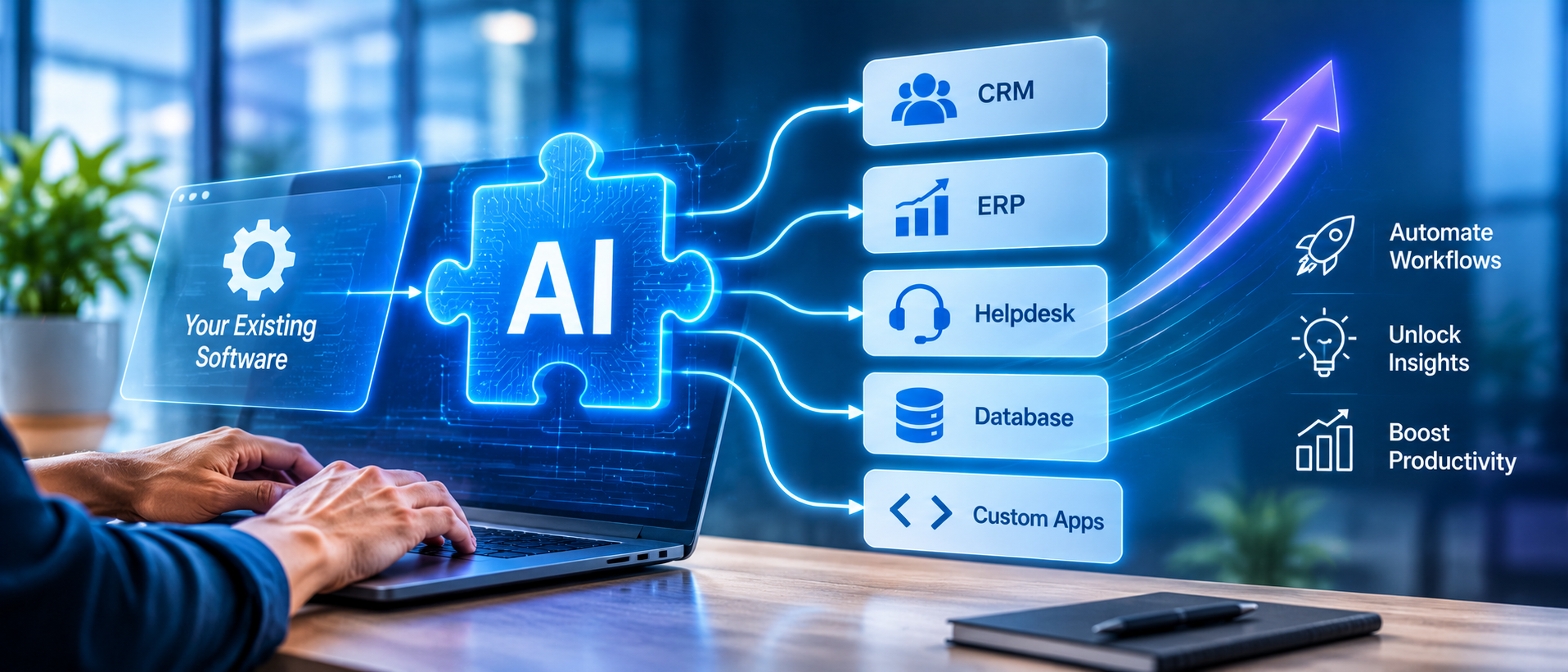
Many businesses already have software that manages their most important operations. Customer relationship management (CRM) platforms handle sales activities, enterprise resource planning (ERP) systems coordinate business processes, and custom applications support specialised internal workflows.
However, these applications were not necessarily designed with artificial intelligence in mind.
Businesses now want to introduce capabilities such as intelligent search, automated document analysis, AI-powered recommendations, conversational interfaces, and agents that can interact with business applications. The challenge is making these capabilities work with existing software without disrupting established processes or compromising data security.
This is where AI integration into existing software becomes important.
Instead of developing an entirely new application, organisations can connect AI models and services to their current technology environment. The integration may involve APIs, middleware, database connectors, retrieval systems, event-driven services, or custom application components.
The right architecture depends on what the software needs AI to do, where the relevant information is stored, and how the application manages permissions and business rules.
This guide explains how to integrate AI into existing business software from a technical perspective, including integration architectures, API connections, database access, legacy application challenges, security considerations, and practical enterprise examples.
What Is AI Integration into Existing Software?
AI integration is the process of connecting artificial intelligence capabilities to an existing software application so that it can perform additional tasks or provide more intelligent functionality.
The AI component may operate as an external service, an internal microservice, a privately hosted model, or an integrated feature within the application's existing architecture.
The important distinction is that the original software continues to manage its core responsibilities.
For example, an ERP application may remain responsible for inventory records, purchasing transactions, and financial information. An AI service can be introduced to analyse historical purchasing data, identify unusual patterns, or help employees retrieve relevant information.
Similarly, an existing CRM can retain its customer records and sales processes while an AI component provides conversation summaries, customer insights, and suggested follow-up activities.
A typical integration connects four elements:
- Existing application: The software employees already use.
- Business data: Information stored in databases, documents, APIs, and connected systems.
- AI services: Models or AI components that process information and generate outputs.
- Integration layer: The services that control communication, data access, validation, and application updates.
This architecture allows businesses to introduce new AI functionality while retaining control over their existing applications.
How Does AI Integration Work Within an Existing Software Architecture?
An AI feature should not be treated as an isolated component that receives unrestricted access to an application.
It needs a defined communication path between the user, application, business data, and AI service.
Consider an existing customer management application that needs an AI-powered customer information assistant.
A user asks:
"Summarise the latest interactions with this customer and identify any unresolved issues."
The application needs to retrieve the correct customer records, verify the user's permissions, provide relevant information to the AI service, and display the generated summary.
A simplified integration architecture looks like this:
User interface → Existing application → Integration layer → Data retrieval and AI service → Validation → Application response
Each component has a specific responsibility.
1. User Interface
The interface is where employees interact with the AI functionality.
It could be an existing CRM screen, an ERP dashboard, an internal portal, or a customer-facing application.
The goal is to make AI available within the workflow rather than requiring users to switch between unrelated tools.
2. Existing Application
The application receives the user's request and determines which business functionality is required.
It manages user sessions, application permissions, business rules, and the original records.
3. Integration Layer
The integration layer manages communication between the existing application and the AI services.
It can handle authentication, request formatting, data filtering, API communication, rate limits, and error handling.
4. Data Retrieval Layer
This component retrieves the relevant information from approved databases, APIs, document repositories, or other enterprise systems.
It should enforce the same access restrictions that apply to the requesting user.
5. AI Processing Layer
The AI model processes the information and performs the requested task.
Depending on the requirement, this could involve an LLM, a predictive model, a RAG pipeline, or an AI agent.
6. Validation and Response
The output is checked before it is returned to the application.
Validation may include checking the response structure, verifying required fields, applying business rules, and determining whether human approval is necessary.
The existing application then displays the result or executes an approved action.
The main architectural principle is to keep application control, business permissions, and transaction validation outside the language model.
Five Ways to Integrate AI into Existing Business Applications
There is no single integration architecture suitable for every application. The best approach depends on the software's existing capabilities and the functionality being introduced.
1. API-Based AI Integration
API-based integration is a practical approach when an existing application needs to communicate with an external AI model or service.
The application sends a request through an API and receives a response that can be used within the existing workflow.
For example, a CRM application may send a customer conversation to an AI model and receive a structured summary.
A simplified workflow:
- The user selects an AI feature in the application.
- The application collects the required information.
- The request is sent to an authorised integration service.
- The integration service calls the AI API.
- The AI service processes the request.
- The response is validated.
- The result is displayed in the original application.
Example: AI-powered document summarisation
An internal document management application stores contracts and business reports. Employees currently need to open lengthy documents and review them manually.
An AI API can be introduced to summarise selected documents and return key information to the application.
The document remains stored in the original system. AI provides an additional way to analyse its content.
Suitable for:
- Text summarisation.
- Content generation.
- Document classification.
- Information extraction.
- Conversational assistance.
- Language translation.
Technical consideration: API-based integration requires attention to authentication, response latency, request limits, provider availability, data handling, and usage costs.
2. Middleware-Based AI Integration
Middleware is useful when an organisation needs to connect AI capabilities with multiple applications or services.
Instead of building separate AI connections into every application, a shared integration layer manages communication between systems.
For example, a business might use:
- Salesforce or another CRM.
- An ERP application.
- An internal HRMS.
- A customer support platform.
- A custom-developed operations portal.
Each application may require different AI functionality, but several integration responsibilities are shared.
A middleware layer can manage:
- API authentication.
- Data transformation.
- Model routing.
- Request validation.
- Logging and monitoring.
- Rate limiting.
- Error handling.
- Application connectors.
- Access policies.
This reduces the need to duplicate integration logic across different applications.
It can also make future changes easier. If the organisation changes its AI model provider, the integration layer can help isolate that change from the core applications.
Suitable for: Enterprises with multiple business applications, shared AI services, and centralised integration requirements.
Technical consideration: Middleware introduces another component that must be designed, secured, monitored, and maintained. It should provide genuine architectural value rather than unnecessary complexity.
3. RAG-Based Integration with Existing Business Data
Retrieval-Augmented Generation (RAG) is particularly useful when an application needs to answer questions using an organisation's own information.
A language model may understand general concepts, but it does not automatically know the latest contents of a company's internal policies, product documentation, customer records, or operational manuals.
RAG addresses this by retrieving relevant information from approved sources and providing it to the model when a question is asked.
A typical RAG architecture includes:
Data sources
Existing databases, document repositories, knowledge bases, and approved application records.
Data ingestion
Documents and information are collected, processed, and divided into manageable sections.
Embedding generation
The sections are converted into numerical representations that support semantic retrieval.
Vector database or retrieval index
The embeddings and associated metadata are stored in a system that can identify relevant information.
Retrieval
When a user asks a question, the system searches for relevant content.
AI generation
The retrieved information is supplied to the language model as context for generating a response.
Response validation
The application checks the result and presents it with supporting references where available.
Example: Integrating an AI knowledge assistant into an ERP system
An organisation uses an ERP application containing product documentation, operational procedures, purchasing information, and internal process guidelines.
Employees frequently contact the operations team because finding the right information takes time.
A RAG-based assistant could allow authorised employees to ask questions such as:
- What is the approved purchasing process?
- Which documents are required for supplier onboarding?
- What are the specifications of a particular product?
- Which procedure applies when an inventory discrepancy occurs?
The assistant retrieves relevant information from approved sources and prepares an answer.
The ERP remains the system responsible for maintaining official business records.
Suitable for:
- Enterprise knowledge search.
- Internal policy assistants.
- Product documentation retrieval.
- Technical support applications.
- Document-based question answering.
- Business information assistants.
Technical consideration: RAG does not automatically prevent inaccurate answers. Retrieval relevance, document freshness, access permissions, and response evaluation must be managed carefully.
4. Event-Driven AI Integration
Event-driven integration is useful when AI needs to respond to an event occurring inside an existing application.
Rather than waiting for a user to request an AI operation, the application can trigger a background workflow when a specific event takes place.
For example:
- A new CRM enquiry triggers lead classification.
- An uploaded invoice triggers document extraction.
- A support ticket triggers issue categorisation.
- A new purchase order triggers document verification.
- A completed transaction triggers anomaly analysis.
A message broker or event-processing service can receive the event and pass it to the relevant AI component.
The AI service processes the information and returns the result to the application through an approved API or event.
Example: AI integration in an accounting application
When an employee uploads an invoice, the accounting system generates an event.
An AI document processing service receives the permitted file, extracts the supplier details, invoice number, date, tax information, and total amount, and returns structured information.
The accounting application validates the extracted values and prepares the invoice for employee review.
This approach separates document processing from the main application workflow.
Suitable for:
- Invoice processing.
- Customer enquiry classification.
- Background document analysis.
- Transaction monitoring.
- Automated notifications.
- Asynchronous business workflows.
Technical consideration: Event-driven systems need reliable message handling, retry mechanisms, duplicate-event protection, monitoring, and a way to manage failed processing.
5. AI Agent Integration with Business Applications
AI agents are useful when a business workflow involves multiple connected operations rather than a single AI request.
An agent can interpret a task, retrieve information, select from approved tools, and coordinate several steps.
For example, an AI agent integrated into a CRM could:
- Retrieve an authorised customer record.
- Review the latest interactions.
- Identify the customer's requirements.
- Search an approved product or service catalogue.
- Prepare a recommended response.
- Create a follow-up task after approval.
The agent interacts with application functions through controlled tools or APIs.
It should not be given unrestricted access to every application or database.
For example, a sales assistant may be permitted to read customer records and draft messages but not change pricing, issue refunds, or approve contracts.
Suitable for:
- Multi-step business workflows.
- Connected application operations.
- Intelligent task coordination.
- Customer service assistance.
- Sales process support.
- Internal operational assistants.
Technical consideration: Agent integrations require clearly defined permissions, tool boundaries, approval processes, action logs, and mechanisms to stop or recover from incorrect actions.
For a deeper explanation of multi-agent systems, see our guide to AI Agent Orchestration.
How to Connect AI with Existing APIs and Databases
Connecting AI to an existing application requires more than providing the model with a database connection.
The integration should establish a controlled method for retrieving information and performing approved actions.
Connecting AI Through Application APIs
Application APIs provide a structured interface through which software components can exchange information.
For example, an existing CRM may provide APIs for:
- Retrieving customer profiles.
- Reading interaction history.
- Searching sales opportunities.
- Creating follow-up tasks.
- Updating selected customer fields.
An AI integration service can use these APIs to retrieve information or prepare actions.
A safer architecture works as follows:
- The user submits a request.
- The application authenticates the user.
- The integration service determines which API operations are required.
- The service checks whether the user is authorised to perform those operations.
- The relevant API retrieves the permitted information.
- AI processes the retrieved data.
- The application validates the result before displaying or saving it.
This approach keeps the existing application responsible for its business rules.
Connecting AI with SQL Databases
Many business applications use relational databases such as PostgreSQL, MySQL, and Microsoft SQL Server.
AI functionality may need access to information stored in these databases.
However, the safest design is usually to place a controlled data-access service between the AI component and the database.
For example, an AI reporting assistant may need to answer:
"Which product categories experienced the largest increase in sales last quarter?"
The integration service can translate the request into an approved query or retrieve the relevant information through existing reporting APIs.
The query should be restricted to authorised tables, columns, and records.
Important safeguards include:
- Read-only access where possible.
- Parameterised queries.
- Database views designed for reporting.
- Row-level and column-level access controls.
- Query validation.
- Limits on returned records.
- Audit logging.
For sensitive applications, unrestricted natural-language-to-SQL execution should be avoided.
Connecting AI with NoSQL Databases
Some applications use NoSQL databases to manage documents, flexible records, application events, or semi-structured information.
AI services may retrieve selected records through approved application services or database connectors.
The integration should preserve the application's access controls and data validation requirements.
The fact that a database supports flexible document structures does not mean every field should be exposed to an AI model.
Connecting AI with Vector Databases
Vector databases support semantic retrieval by storing embeddings and associated metadata.
They are frequently used in RAG applications, where an AI model needs to retrieve relevant information based on the meaning of a question rather than only exact keyword matches.
Examples of vector database technologies include:
- Pinecone.
- Weaviate.
- Milvus.
- Qdrant.
- PostgreSQL with pgvector.
The choice depends on the scale of the retrieval system, infrastructure preferences, filtering requirements, and operational capabilities.
A vector database is not a replacement for the original business database. It generally serves as a retrieval layer that points to relevant source information.
The original system should remain the authoritative source for business records.
Integrating AI into Different Types of Business Software
The integration architecture should reflect the responsibilities and data structures of the application.
The same AI model may support several systems, but the way it interacts with each one can be very different.
AI Integration with CRM Software
CRM applications manage customer information, sales activities, communications, and business opportunities.
AI can be introduced through existing CRM APIs and application services.
Possible integrations include:
- Customer conversation summaries.
- Lead information extraction.
- Customer history retrieval.
- Sales email drafting.
- Intelligent CRM search.
- Opportunity analysis.
- Follow-up recommendations.
For example, when a new lead enters the CRM, an AI service can classify the enquiry, extract relevant details, and prepare a summary for the assigned sales representative.
The CRM should continue to control customer records, ownership, and sales permissions.
AI Integration with ERP Software
ERP systems connect different business functions, including purchasing, inventory, finance, manufacturing, and operations.
AI integration can support:
- Invoice data extraction.
- Purchase order analysis.
- Inventory forecasting.
- Transaction anomaly detection.
- Natural-language reporting.
- Supplier document processing.
- Operational information retrieval.
Because ERP systems often contain sensitive financial and operational information, access controls and transaction validation are especially important.
AI-generated recommendations should not bypass existing approval processes.
AI Integration with HRMS Platforms
Human resource management systems contain employee records, recruitment information, payroll-related data, and organisational information.
Possible AI capabilities include:
- Employee policy assistants.
- HR document search.
- Employee enquiry classification.
- Job description assistance.
- Document extraction.
- Workforce reporting support.
Sensitive employee information should be restricted according to organisational roles and applicable privacy requirements.
AI should not independently make consequential employment decisions without appropriate governance and human oversight.
AI Integration with Customer Support Software
Customer support platforms are suitable for AI integration because they contain large amounts of conversational information and repetitive workflows.
Possible capabilities include:
- Automatic ticket classification.
- Suggested support responses.
- Customer conversation summaries.
- Knowledge-base retrieval.
- Duplicate issue detection.
- Escalation recommendations.
- Multilingual support assistance.
For example, an AI service can analyse a new support ticket, identify the likely issue category, retrieve relevant troubleshooting information, and suggest a response to the support employee.
The employee can review the suggestion before it is sent to the customer.
AI Integration with Custom Business Applications
Many organisations use custom-developed applications to support specialised processes that standard software cannot fully accommodate.
These applications may use different programming languages, databases, frameworks, and deployment environments.
AI integration can be implemented through custom APIs, backend services, middleware, or dedicated AI components.
Examples include:
- AI-powered internal search.
- Document processing inside business portals.
- Intelligent reporting dashboards.
- Application-specific recommendation systems.
- AI-assisted project management.
- Workflow-specific AI agents.
Custom software often provides opportunities to introduce AI directly into the existing user experience, provided the application architecture supports suitable integration points.
How to Integrate AI into Legacy Business Applications
Legacy applications present a different challenge because they may not support modern APIs, event-driven communication, or modular services.
Some systems use older frameworks, tightly coupled components, custom database structures, or integration methods that were designed for a different technology environment.
However, a complete replacement is not always necessary.
Several approaches can help connect legacy systems with modern AI services.
1. Introduce an API Adapter
An adapter can expose selected legacy application functions through a modern API.
This gives the AI integration service a structured way to retrieve or exchange information without requiring major changes to the original application.
2. Use Middleware
Middleware can translate information between older application formats and modern AI services.
It can also manage authentication, data transformation, and error handling.
3. Create a Controlled Data Access Layer
Where suitable APIs are unavailable, a dedicated service may retrieve approved information from the legacy database.
This should be designed carefully to avoid interfering with the original application's transactions or data integrity.
4. Use Scheduled Data Synchronisation
Some legacy applications may not support real-time integration.
In such cases, scheduled data synchronisation or batch processing can provide information to AI services at defined intervals.
This approach is useful for reporting, historical analysis, and document processing where immediate updates are not essential.
5. Modernise Gradually
A business can modernise selected components over time rather than replacing the entire application.
For example, the organisation might first introduce an API gateway, then separate a reporting component, and later add AI-powered services.
This allows AI functionality to be introduced while preserving important existing business processes.
The appropriate approach depends on the system's technical condition, data dependencies, and business criticality.
Security Considerations When Connecting AI to Enterprise Software
AI integration introduces additional communication paths and processing components. Security must therefore be considered throughout the architecture.
A model should not receive unrestricted access simply because it needs to retrieve business information or complete a task.
Authentication and Service Identity
Every integration component should use an appropriate identity and authentication mechanism.
Application APIs should verify the identity of the user or service making a request.
Where possible, use short-lived credentials, managed identities, or other established identity-management mechanisms rather than embedding long-lived secrets in application code.
Role-Based Access Control
AI services should respect the permissions associated with the user or workflow.
For example, an employee who cannot view confidential financial information in the ERP should not be able to retrieve that information through an AI assistant.
This requires permission checks at the application or data-access layer, not simply instructions telling the model to avoid restricted information.
Data Minimisation
Only provide the information required for the specific AI task.
A document summarisation feature does not necessarily need access to the entire customer database.
Reducing unnecessary data transfer helps limit exposure and can also reduce processing costs.
Prompt Injection Protection
Prompt injection can occur when malicious instructions in user input or retrieved documents attempt to manipulate an AI system.
For example, an internal knowledge document could contain instructions attempting to make an assistant disclose restricted information.
Retrieved content should be treated as untrusted input. It must not override application permissions, system policies, or security controls.
Tool and Action Restrictions
AI agents should have access only to the functions required for their assigned tasks.
A customer support agent may be allowed to retrieve ticket details and draft a response but should not automatically change account ownership or issue financial refunds unless the application explicitly authorises such actions.
Logging and Auditability
Maintain appropriate records of:
- AI requests.
- Data retrieval operations.
- Application API calls.
- Permission checks.
- Generated outputs.
- Approved actions.
- Failed operations.
These records support troubleshooting, security investigations, and ongoing system evaluation.
The OWASP GenAI Security Project provides further guidance on risks affecting applications that use large language models.
Testing and Deploying AI Integration in Production
A successful connection between an application and an AI model does not automatically mean the integration is ready for production.
The complete workflow needs to be tested under realistic conditions.
Functional Testing
Verify that the AI feature performs its intended task and communicates correctly with the existing application.
Integration Testing
Test the complete communication path between the user interface, backend services, APIs, databases, AI model, and response-handling components.
Data Access Testing
Confirm that users cannot retrieve information outside their authorised permissions.
Test different user roles and access scenarios rather than relying on a single administrator account.
AI Output Evaluation
Evaluate the quality of generated summaries, classifications, extracted fields, and recommendations using representative test cases.
For RAG applications, measure whether relevant source documents are retrieved and whether the generated answer is supported by those sources.
Performance Testing
Assess response times, concurrent requests, API limits, and application behaviour under expected workloads.
Failure Testing
Test what happens when:
- An AI provider is unavailable.
- An API request times out.
- The model returns an unexpected response.
- A database connection fails.
- An event is delivered more than once.
- A document cannot be processed.
The application should have suitable fallback behaviour so that essential business operations can continue.
Controlled Production Deployment
Introduce the integration to a limited user group before wider rollout.
Monitor performance, user feedback, output corrections, and operational issues. Expand deployment after the agreed acceptance criteria are met.
Common Technical Mistakes in AI Integration Projects
Several implementation mistakes can make an otherwise promising AI feature unreliable.
| Mistake | Why it causes problems | Better approach |
|---|---|---|
| Giving the model direct unrestricted database access | Increases data exposure and security risks | Use controlled data-access services |
| Connecting every application directly to a model | Creates duplicated integration logic | Use shared middleware where appropriate |
| Ignoring existing application permissions | May expose information to unauthorised users | Enforce permissions at the application and data layers |
| Treating AI output as verified information | Incorrect results may enter business records | Validate outputs and require review where needed |
| Ignoring API failures | Application workflows may become unreliable | Implement retries, timeouts, and fallback mechanisms |
| Using RAG without document governance | Outdated or restricted content may be retrieved | Manage source quality, permissions, and freshness |
| Allowing agents unrestricted tool access | Agents may perform unintended actions | Apply least privilege and approval controls |
| Skipping production monitoring | Problems may remain undetected | Monitor accuracy, latency, errors, and usage |
The most important lesson is that AI integration should be engineered as part of the complete software system, not treated as a standalone model connection.
A Practical AI Integration Example: Connecting an AI Assistant to an Existing ERP
Consider a manufacturing company that uses an ERP application to manage purchasing, inventory, and supplier information.
Employees often need to search multiple records to answer questions about stock availability and supplier activity.
The company wants to introduce an AI assistant into its existing ERP interface.
Existing Environment
The application includes:
- A relational database containing inventory records.
- Supplier information and purchasing history.
- An internal document repository.
- An existing user authentication system.
- ERP APIs for retrieving selected business records.
Proposed Integration
The company introduces an AI integration service that communicates with the ERP APIs and an approved language model.
A RAG component is also used to retrieve relevant operational documentation.
Example User Request
An employee asks:
"Summarise the current stock position for Product A and identify the suppliers associated with its recent purchases."
Integration Workflow
- The ERP authenticates the employee.
- The application sends the request to the AI integration service.
- The integration service checks the employee's access permissions.
- Approved ERP APIs retrieve relevant inventory and supplier records.
- The AI service processes the structured information.
- The response is validated against the required output structure.
- The ERP displays the summary to the employee.
If the employee requests an action, such as creating a purchase request, the application should validate the relevant business rules and follow its normal approval process.
Expected Technical Components
| Component | Responsibility |
|---|---|
| ERP interface | Employee interaction |
| ERP APIs | Access to authorised business records |
| Integration service | Authentication, routing, and data preparation |
| AI model | Language understanding and response generation |
| Retrieval service | Access to relevant operational documents |
| Validation layer | Output and business-rule checks |
| Monitoring | Performance, failures, and usage records |
This example demonstrates how AI can be introduced into an existing enterprise application without moving the entire ERP workflow to a separate platform.
How to Choose the Right AI Integration Architecture
Before selecting an architecture, evaluate the actual requirements of the existing application.
The following comparison can help guide the decision.
| Requirement | Suitable integration approach |
|---|---|
| Add an AI summarisation feature | API integration |
| Connect AI to several business applications | Middleware |
| Search internal documents and policies | RAG |
| Process events in the background | Event-driven integration |
| Complete multi-step application workflows | AI agent integration |
| Connect an older application with modern AI services | Adapter or middleware |
| Provide intelligent reporting | API or controlled database integration |
A solution may combine several of these approaches.
For example, an enterprise knowledge assistant could use middleware for application connectivity, RAG for document retrieval, and an LLM API for response generation.
The architecture should remain as simple as possible while meeting the security, performance, and functionality requirements.
How Spectrum Future Technology Helps Integrate AI into Existing Business Software
Introducing AI into an established application requires more than selecting a model. It requires an understanding of the existing software, its data structures, integration interfaces, and business processes.
Spectrum Future Technology helps organisations explore and develop AI-powered capabilities that work with their existing technology environments.
Our capabilities include:
Custom AI Development
Developing AI-powered application features based on specific business requirements, including intelligent assistants, document processing, and tailored AI solutions.
AI Integration Services
Connecting AI models and services with existing applications, APIs, databases, and enterprise platforms through suitable integration architectures.
AI Automation
Connecting intelligent capabilities with business workflows to reduce repetitive manual activities while retaining appropriate validation and approval controls.
AI Agent Development and Orchestration
Developing AI agents that interact with approved application functions, retrieve business information, and coordinate multi-step workflows.
Cloud and Application Infrastructure
Supporting the cloud infrastructure, deployment, integration, and operational requirements of AI-enabled business applications.
Businesses can explore our AI Integration Services, AI Automation Services, and Cloud Management Services.
You can also learn more about our AI Agent Orchestration approach and how AI agents connect with APIs, databases, and business applications.
If your organisation operates a CRM, ERP, internal portal, or custom-developed application, Spectrum Future Technology can help assess its integration capabilities and identify an appropriate approach to introducing AI.
Conclusion
Integrating AI into existing business software is primarily an engineering challenge. The objective is not simply to connect an application to a language model, but to make AI capabilities work reliably within established software architecture, data environments, and business rules.
API integrations, middleware, RAG, event-driven processing, and AI agents provide different ways to introduce intelligence into existing applications. The right combination depends on the required functionality, the software's technical capabilities, and the organisation's security and operational requirements.
Businesses that treat AI as an integrated part of their software architecture can extend the capabilities of their existing applications while maintaining control over business data and processes.
Planning to connect AI with your existing CRM, ERP, or custom business application? Contact Spectrum Future Technology to discuss your integration requirements and explore an architecture suited to your existing software environment.
Frequently Asked Questions
1. Can AI be integrated into existing business software?
Yes. AI can be introduced into many existing applications through APIs, middleware, custom connectors, event-driven services, and retrieval systems. The appropriate approach depends on the application's architecture, available integration interfaces, and security requirements.
2. How do APIs help integrate AI into existing applications?
APIs allow an application to exchange information with an AI service through defined requests and responses. An existing application can send permitted information to an AI model, receive its output, validate the response, and display it within the original interface.
3. Can AI connect directly to an existing business database?
AI applications can retrieve information from business databases, but direct unrestricted database access is generally not recommended. A controlled service or application API should manage queries, permissions, validation, and data exposure.
4. What is middleware in AI integration?
Middleware is an intermediary software layer that manages communication between applications and AI services. It can handle authentication, data transformation, API routing, logging, validation, and error management.
5. Can AI be integrated into legacy software?
Yes, depending on the application's technical capabilities. API adapters, middleware, scheduled data synchronisation, and controlled database connectors can help connect older applications with modern AI services.
6. What is the difference between API-based AI integration and RAG?
API-based AI integration describes how an application communicates with an AI service. RAG is a technique that retrieves relevant external information and supplies it to a language model to support more context-specific responses. A RAG solution can itself use APIs and middleware.
7. Which databases can be used with AI applications?
AI applications can work with information from relational databases, NoSQL systems, document repositories, and vector databases. The connection method depends on the data structure, retrieval requirements, security policies, and existing application architecture.
8. Is a vector database required for AI integration?
No. A vector database is useful for semantic retrieval and many RAG applications, but it is not necessary for every AI feature. Simple summarisation, classification, and text generation can often work through standard APIs without a vector database.
9. How can AI agents interact with existing business applications?
AI agents can use approved application APIs and tools to retrieve information or perform defined tasks. The integration should restrict available actions, enforce user permissions, validate requests, and require human approval for sensitive operations.
10. How do businesses protect sensitive information during AI integration?
They should apply authentication, role-based access control, least-privilege permissions, encryption, data minimisation, secure API communication, output validation, and audit logging. Data handling requirements should also be reviewed before selecting an AI service provider.
11. Can multiple business applications use the same AI integration layer?
Yes. A shared integration layer can provide common services for several applications, including authentication, model routing, logging, and data transformation. Each application must still retain its own permissions and business rules.
12. What should businesses evaluate before selecting an AI integration partner?
Businesses should assess the partner's experience with application architecture, APIs, database integration, AI models, enterprise security, testing, deployment, and ongoing maintenance. The partner should understand the existing software environment before recommending a solution.