

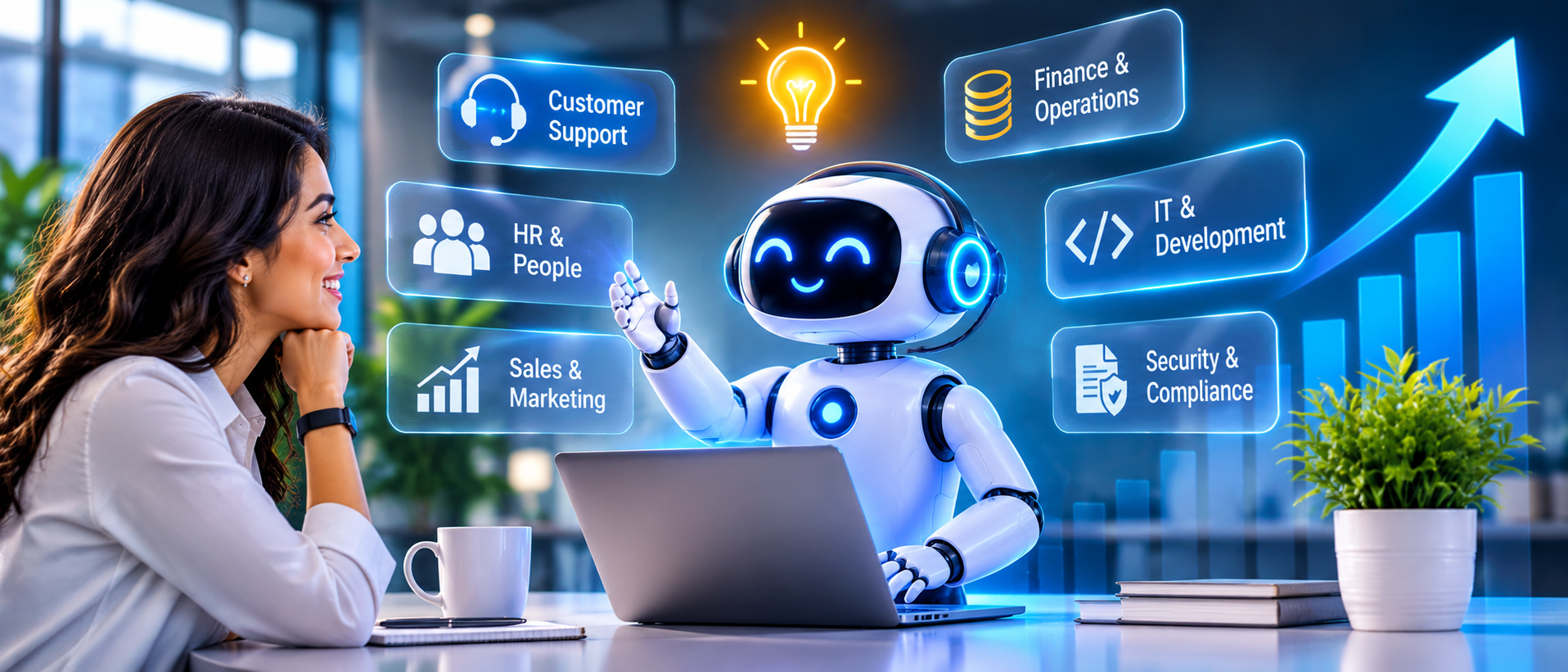
Businesses are no longer evaluating artificial intelligence only as a technology experiment. They are exploring practical ways to use it across customer service, internal operations, software development, sales, finance, HR, and other business functions. One technology gaining attention in this shift is Generative AI Assistants.
Unlike traditional chatbots that follow predefined scripts or respond using fixed decision trees, generative AI assistants can understand natural language, interpret context, retrieve relevant information, generate responses, and, in carefully controlled environments, interact with business applications to complete tasks.
For example, an employee could ask an internal AI assistant to locate the latest company leave policy, explain a particular clause, and provide the relevant document. A customer service assistant could review an order, check delivery information, and prepare an appropriate response. A sales assistant could summarise a prospect's history from a CRM system and help a representative prepare for a meeting.
These capabilities make AI assistants useful beyond basic question-and-answer interactions. They can become an intelligent interface between employees, customers, company knowledge, and existing business systems.
However, implementing a reliable assistant involves much more than connecting an application to a large language model. Businesses need to consider data quality, system integrations, access permissions, security, response accuracy, operating costs, and ongoing monitoring.
This guide explains how generative AI assistants work, where enterprises can use them, what technologies support them, how to build one, and what businesses should evaluate before investing in a custom solution.
What Are Generative AI Assistants?
Generative AI assistants are software applications powered by generative artificial intelligence models that understand user requests and generate contextually relevant responses or outputs. Depending on their design, they can also retrieve information from business knowledge sources, use external tools, and perform approved actions through connected applications.
They typically use large language models (LLMs) to interpret instructions, understand conversational context, and generate natural-language responses. Additional components provide access to company information, application functionality, business rules, and security controls.
A basic generative AI assistant might answer questions about a company's services. A more advanced enterprise AI assistant could retrieve information from internal documents, identify the employee's permissions, query an approved database, and prepare a structured response using the latest available information.
The distinction is important: the language model provides the ability to understand and generate language, while the surrounding application architecture determines what information the assistant can access and what actions it is allowed to perform.
A practical example
Imagine an employee working in a company that manages hundreds of projects.
Instead of opening multiple systems to find information, the employee asks:
"Show me the latest status of the Orion project, including pending tasks, the delivery date, and outstanding client approvals."
An enterprise AI assistant could:
- Understand the request and identify the information required.
- Check whether the employee is authorised to access the project.
- Retrieve relevant information from the project management system.
- Identify outstanding approvals and delivery milestones.
- Organise the information into a readable summary.
- Provide links to the original records for verification.
The assistant does not need to replace the project management platform. It provides a more accessible way to interact with the information already stored there.
How Do Generative AI Assistants Work?
A generative AI assistant combines several technologies to understand requests, retrieve information, generate responses, and interact with connected systems.
The exact architecture depends on the business requirement. A simple internal knowledge assistant may only need a language model and document retrieval. An assistant that updates CRM records, creates service tickets, or coordinates workflows requires additional integration and execution components.
The typical workflow looks like this:
1. User input and intent understanding
The process begins when a user submits a question or instruction through a web application, mobile application, internal portal, or messaging interface.
The assistant analyses the request to identify:
- What the user wants to know or accomplish
- Which business function is involved
- What information may be required
- Whether the request needs a simple response or an external action
- Whether clarification is necessary
For example, "Find my last three invoices" is different from "Send the latest invoice to the finance department." The first request involves information retrieval, while the second involves an action that needs appropriate permissions and confirmation.
2. Context management
A useful assistant needs to understand more than the latest sentence.
It may need relevant conversation history, user preferences, application state, business rules, and information from previous steps in a workflow.
This information forms the context provided to the language model. Context must be selected carefully because irrelevant or excessive information can increase processing costs and reduce response quality.
3. Knowledge retrieval
When the assistant needs company-specific information, it can retrieve relevant content from approved sources.
These sources may include:
- Company policies and procedures
- Product documentation
- Internal knowledge bases
- Customer support records
- Contracts and reports
- Project management systems
- CRM and ERP platforms
- Databases and document repositories
A common approach is Retrieval-Augmented Generation (RAG), which allows the assistant to retrieve relevant information before generating an answer.
4. Response generation
The retrieved information and the user's request are passed to the language model with instructions that define how the response should be produced.
The model generates a response using the supplied context, its learned language capabilities, and the application's instructions.
For business use, the response should ideally include references to supporting documents or records when appropriate.
5. Tool execution and application integration
More advanced generative AI assistants can use tools to interact with external applications.
For example, an assistant may be permitted to:
- Search a CRM record
- Retrieve an order status
- Create a support ticket
- Schedule a meeting
- Prepare an email draft
- Query an inventory database
- Update a project task
These actions should be performed through controlled application interfaces, APIs, and permission checks—not through unrestricted access to business systems.
6. Validation and response delivery
Before returning an answer or completing an action, the application can apply validation rules.
Depending on the task, these may include checking data formats, verifying permissions, confirming required fields, detecting missing information, and requesting human approval.
The final response is then delivered to the user through the application interface.
Generative AI Assistants vs. Traditional Chatbots vs. AI Agents
These terms are often used interchangeably, but they describe different capabilities.
A traditional chatbot usually follows predefined conversation flows. A generative AI assistant uses language models to interpret requests and create responses. An AI agent may go further by planning and executing multi-step tasks using tools and connected systems.
| Capability | Traditional chatbot | Generative AI assistant | AI agent |
|---|---|---|---|
| Predefined conversation flows | Common | Optional | Optional |
| Natural-language understanding | Limited to configured patterns | Advanced | Advanced |
| Dynamic response generation | Limited | Yes | Yes |
| Company knowledge retrieval | Possible, but limited | Common | Common |
| API and application integration | Configured workflows | Supported | Core capability |
| Multi-step task execution | Usually predefined | Possible with orchestration | More autonomous |
| Decision-making | Rule-based | Context-dependent | Goal-oriented within defined boundaries |
| Human approval | Configurable | Recommended for sensitive tasks | Important for higher-risk actions |
The right choice depends on the problem being solved.
A traditional chatbot may be sufficient for a small set of frequently asked questions. A generative AI assistant is more appropriate when users need flexible conversations and access to different information sources. An AI agent may be suitable when a process requires several connected actions and controlled decision-making.
Businesses should not automatically choose the most autonomous architecture. Additional autonomy introduces additional complexity, testing requirements, and security considerations.
Why Are Businesses Investing in Generative AI Assistants?
Interest in generative AI assistants is closely connected to the growing adoption of AI across business functions.
McKinsey's November 2025 State of AI survey reported that 88% of respondents said their organisations used AI in at least one business function. The same research found that 62% were at least experimenting with AI agents. However, most organisations were still working through the challenge of scaling AI beyond experimentation.
This distinction matters. Adopting an AI tool is relatively straightforward compared with integrating it into everyday operations and demonstrating measurable business value.
Source: McKinsey – The State of AI in 2025.
For businesses, the opportunity is not simply to introduce another conversational interface. It is to reduce friction in everyday work, make information easier to access, and improve how employees and customers interact with business processes.
Adoption data: Generative AI use
McKinsey's survey reported the following percentages of respondents whose organisations regularly used generative AI in at least one business function:
| Year | Reported generative AI use |
|---|---|
| 2023 | 33% |
| 2024 | 65% |
| 2025 | 79% |
These figures describe survey respondents' reports, not a census of all businesses. They illustrate the speed of adoption, but they do not establish that every organisation is achieving measurable returns.
The business challenge is therefore shifting from experimentation to useful, secure, and measurable implementation.
12 Practical Use Cases of Generative AI Assistants in Business
Generative AI assistants can support different departments, but the strongest applications usually begin with a specific operational problem.
Below are practical enterprise use cases.
1. Customer Support AI Assistants
Customer service teams frequently handle repetitive enquiries about products, services, account information, order status, billing, and troubleshooting.
A customer support AI assistant can understand customer questions, retrieve relevant information, and generate responses based on approved company knowledge.
Possible capabilities include:
- Answering frequently asked questions
- Explaining product and service information
- Retrieving order or delivery status
- Providing troubleshooting guidance
- Summarising previous support interactions
- Routing complex enquiries to the appropriate team
- Creating or updating support tickets
For example, a customer might ask, "My order was supposed to arrive yesterday. Can you check what happened?"
The assistant can retrieve the order record, check the available delivery information, and explain the current status. If the information is incomplete or the issue requires intervention, it can route the request to a human support representative.
Business value: Reduced repetitive work, faster access to information, and more consistent customer interactions.
2. Internal Knowledge Management Assistants
Large organisations often store information across SharePoint, Google Drive, internal portals, databases, PDFs, and departmental applications.
Employees may spend considerable time locating the correct document or confirming whether they have the latest version.
An internal knowledge assistant can provide a conversational interface to approved company information.
Employees could ask:
- What is our current travel reimbursement policy?
- Which document explains the client onboarding process?
- What are the technical requirements for the latest product release?
- Summarise the main changes in the updated employee handbook.
Using RAG, the assistant retrieves relevant documents and generates an answer grounded in the available content.
A well-designed implementation should also preserve document-level access permissions. An employee should not receive information from a restricted HR or finance document simply because the assistant can technically retrieve it.
Business value: Easier knowledge discovery, less time spent searching, and more consistent access to internal information.
3. Sales and CRM AI Assistants
Sales teams work with customer records, communication histories, proposals, meeting notes, and opportunity information.
A sales AI assistant can help organise this information and make it easier for representatives to prepare for customer conversations.
Potential capabilities include:
- Summarising CRM records
- Preparing meeting briefs
- Drafting follow-up emails
- Identifying missing opportunity information
- Summarising customer interactions
- Generating proposal outlines
- Helping sales representatives locate relevant case studies
For example, before a sales meeting, a representative could ask:
"Prepare a summary of this prospect's previous interactions, current requirements, and open opportunities."
The assistant can retrieve authorised CRM information and produce a structured briefing.
It can also prepare a follow-up message, but sending that message should remain subject to the organisation's approval rules.
Business value: Better sales preparation, reduced administrative effort, and improved access to customer context.
4. HR and Employee Support Assistants
HR teams regularly answer questions about leave policies, benefits, onboarding, company procedures, payroll processes, and internal guidelines.
An HR AI assistant can provide employees with a consistent way to find approved information.
It may support:
- Employee policy questions
- Onboarding guidance
- Leave and holiday information
- Benefits documentation
- Training resource discovery
- Internal process explanations
- HR ticket creation
For example, a new employee could ask, "What documents do I need to complete during onboarding?"
The assistant can retrieve the relevant checklist and explain the next steps.
Sensitive employee information must be protected through strict access controls. An HR assistant should not expose another employee's records or make consequential employment decisions without appropriate human oversight.
Business value: Reduced repetitive HR enquiries and a more accessible employee support experience.
5. IT Service Desk AI Assistants
IT departments receive recurring requests related to password issues, software access, network connectivity, device setup, application errors, and service requests.
An IT AI assistant can help employees resolve common issues and provide structured information to IT support teams.
Possible functions include:
- Answering IT support questions
- Retrieving troubleshooting instructions
- Explaining software installation procedures
- Checking service status
- Creating support tickets
- Categorising technical issues
- Summarising error reports
A more advanced assistant can integrate with IT service management tools to retrieve ticket status or create new requests.
However, sensitive actions such as changing access permissions, disabling accounts, or modifying security settings should require suitable authentication and approval.
Business value: Faster access to support guidance and reduced manual ticket handling.
6. Finance and Accounting Assistants
Finance teams process large volumes of invoices, reports, expense records, payment information, and supporting documents.
Generative AI assistants can help users understand financial documents and locate information more efficiently.
Use cases include:
- Invoice information extraction
- Expense policy assistance
- Financial report summarisation
- Purchase order queries
- Accounts payable support
- Budget document discovery
- Preparation of variance explanations
For example, a finance employee might ask:
"Summarise the outstanding invoices from this month and identify which ones are missing purchase order references."
The assistant could retrieve authorised records, organise the results, and highlight exceptions for review.
It should not independently approve payments or modify financial records without appropriate controls.
Business value: Less time spent on information gathering and more efficient review of financial operations.
7. Software Development Assistants
Software engineering teams can use generative AI assistants to support development activities across the software lifecycle.
Potential capabilities include:
- Explaining existing code
- Generating code examples
- Drafting unit tests
- Reviewing code changes
- Creating technical documentation
- Explaining application errors
- Supporting API documentation
- Helping developers navigate unfamiliar codebases
For example, a developer could ask an assistant to explain a particular service, identify its API dependencies, and suggest relevant test cases.
The output must still be reviewed, tested, and checked against security and coding standards. AI-generated code is not automatically correct or production-ready.
Business value: Better developer access to technical knowledge and support for repetitive engineering tasks.
8. E-commerce Product Assistants
Online businesses can use generative AI assistants to help customers navigate product catalogues and make informed purchasing decisions.
Instead of relying only on category filters and keyword searches, customers can describe what they need in natural language.
An assistant could:
- Recommend products based on requirements
- Explain product specifications
- Compare product features
- Retrieve stock information
- Answer delivery questions
- Explain return policies
- Help customers find compatible products
For example, a customer could ask, "I need a laptop for software development with at least 32 GB RAM and good battery life."
The assistant can search the available catalogue and present suitable products with their specifications.
Business value: More accessible product discovery and better customer guidance.
9. Procurement and Supply Chain Assistants
Procurement teams manage suppliers, purchase orders, contracts, delivery schedules, and product availability.
A generative AI assistant can make information across these processes easier to retrieve and understand.
Possible applications include:
- Supplier information discovery
- Purchase order status queries
- Contract summarisation
- Procurement policy assistance
- Delivery status checks
- Identification of missing documentation
- Preparation of supplier communication drafts
For example, an employee could ask:
"Which purchase orders are still awaiting supplier confirmation?"
The assistant can query an approved procurement system and summarise the relevant records.
Business value: Easier information retrieval and improved visibility across procurement activities.
10. Legal and Contract Review Assistants
Legal and compliance teams often work with lengthy contracts, policies, agreements, and regulatory documentation.
A specialised assistant can help locate clauses, summarise documents, and compare information across approved records.
Possible capabilities include:
- Contract summarisation
- Clause identification
- Document comparison
- Policy discovery
- Renewal date extraction
- Identification of missing sections
- Preparation of review checklists
For example, an employee could ask:
"Summarise the termination clause and identify the notice period in this agreement."
The assistant can retrieve the relevant clause and explain its wording.
Legal professionals must verify the source text and make the final interpretation. The assistant should support legal review, not replace professional judgement.
Business value: Faster document navigation and more efficient preparation for human review.
11. Healthcare Administration Assistants
Healthcare organisations can use AI assistants to support administrative workflows such as appointment information, patient service enquiries, internal documentation discovery, and non-clinical operational support.
Potential applications include:
- Appointment-related enquiries
- Administrative document retrieval
- Internal policy assistance
- Patient service information
- Staff knowledge support
- Workflow and referral coordination
Any implementation involving patient information requires appropriate privacy, security, access, and regulatory controls. Clinical recommendations and decisions require qualified professional oversight.
Business value: Better access to administrative information and support for repetitive operational tasks.
12. Executive and Business Intelligence Assistants
Business leaders need information from different departments to understand operational performance and make decisions.
A business intelligence assistant can provide a conversational interface to approved reporting systems and analytics platforms.
Executives could ask:
- Which regions generated the highest revenue last quarter?
- How has customer retention changed over the last six months?
- Which projects are behind schedule?
- Summarise the latest sales performance.
- What are the main reasons for the increase in operating costs?
The assistant can retrieve relevant metrics, explain trends, and present summaries with links to underlying reports.
The underlying data definitions must be consistent. Otherwise, an assistant may produce a convincing explanation using incomplete or incorrectly interpreted metrics.
Business value: Easier access to business information and more efficient preparation of management reports.
Types of Generative AI Assistants Businesses Can Build
Not every organisation needs the same type of assistant. The architecture should reflect the intended users, information sources, and actions.
| Assistant type | Main purpose | Typical users |
|---|---|---|
| Customer-facing AI assistant | Answer customer questions and guide service interactions | Customers |
| Internal knowledge assistant | Retrieve company information and documents | Employees |
| Sales AI assistant | Support prospect research and CRM workflows | Sales teams |
| HR AI assistant | Answer employee policy and onboarding questions | Employees and HR |
| IT support assistant | Provide technical guidance and support workflows | Employees and IT teams |
| Document intelligence assistant | Extract, summarise, and compare document information | Operations and legal teams |
| Data analytics assistant | Query business metrics and explain reports | Managers and executives |
| Workflow AI assistant | Coordinate approved actions across applications | Business operations teams |
Some organisations may benefit from a single assistant connected to multiple knowledge sources. Others may need separate assistants for different departments because of security boundaries, specialised workflows, or different user experiences.
The important consideration is not how many assistants an organisation deploys. It is whether each one solves a clearly defined problem.
How Generative AI Assistants Are Built: Technology and Architecture
Building an enterprise generative AI assistant requires a combination of AI models, application development, data engineering, integration, and security.
The language model is only one component of the overall solution.
1. Large Language Models (LLMs)
Large language models provide the core language understanding and generation capabilities.
They can interpret user instructions, summarise information, generate responses, classify requests, and help coordinate tool usage.
Businesses may choose between hosted models, managed cloud AI services, and models deployed in controlled infrastructure.
The choice depends on:
- Response quality
- Supported languages
- Context window requirements
- Latency
- Data handling requirements
- Deployment options
- Integration capabilities
- Operating costs
A larger model is not automatically the best choice. Some tasks can be handled effectively by smaller, faster, and less expensive models.
2. Retrieval-Augmented Generation (RAG)
One of the most important technologies for enterprise AI assistants is Retrieval-Augmented Generation.
A general-purpose language model may not know the latest internal company policies, customer records, product documentation, or private business information.
RAG addresses this limitation by retrieving relevant information from approved knowledge sources and providing it to the model when answering a question.
A typical RAG workflow includes:
- Collect documents from approved sources.
- Extract and clean their content.
- Split documents into manageable sections, often called chunks.
- Generate embeddings for those sections.
- Store the embeddings and related metadata in a searchable index.
- Convert the user's question into a retrieval query.
- Retrieve relevant information.
- Pass the retrieved context to the language model.
- Generate an answer grounded in the retrieved information.
For example, a company may have 5,000 policy and process documents. Instead of placing all documents into a single model prompt, the application searches for the sections most relevant to the employee's question.
A RAG implementation should also preserve access permissions, document ownership, and source references.
Microsoft's RAG overview explains the retrieval process and highlights challenges such as multi-source access, query understanding, latency, and security.
3. Embeddings and Vector Databases
Embeddings are numerical representations of text or other supported content. They help systems identify information that is semantically related, even when the exact words differ.
For example, a user might search for "employee leave rules" while the document uses the phrase "annual leave policy."
Semantic retrieval can help connect these related concepts.
A vector database or vector search engine stores and retrieves these representations.
Depending on the solution, businesses may use:
- PostgreSQL with vector extensions
- Azure AI Search
- Pinecone
- Weaviate
- Milvus
- Other vector-capable data platforms
Vector search is not the only retrieval method. Many enterprise applications benefit from hybrid search, which combines keyword matching with semantic retrieval and, where useful, metadata filters.
4. APIs and Enterprise System Integration
A generative AI assistant becomes more useful when it can access the business systems employees already use.
APIs allow the application to retrieve data or request actions from external platforms.
Common integration targets include:
- CRM systems
- ERP applications
- HR management systems
- Customer support platforms
- Project management tools
- Document management platforms
- Databases
- Email and calendar systems
- Inventory and order management applications
For example, an assistant integrated with a CRM system could retrieve an account summary, prepare a follow-up message, and create a draft activity record.
Each integration should use authenticated, narrowly scoped operations. The assistant should not receive unrestricted access to an entire database simply because one workflow requires a limited query.
5. AI Orchestration Frameworks
Orchestration coordinates how the assistant uses models, retrieval systems, memory, tools, and application logic.
It determines which operation should happen at each stage of a request.
Depending on the solution, developers may use frameworks and libraries such as:
- LangChain
- LangGraph
- Semantic Kernel
- LlamaIndex
- Provider-specific agent development frameworks
- Custom application orchestration
The best framework depends on the architecture and development requirements. A straightforward assistant may not need a complex multi-agent system.
6. Backend and Frontend Development
The user interface is only one part of an enterprise assistant.
The backend typically handles:
- Authentication
- User and role management
- Prompt construction
- Model communication
- Retrieval operations
- API integrations
- Conversation management
- Business rules
- Logging and monitoring
- Security validation
The frontend provides the experience through which users interact with the assistant.
It may be developed as a web application, mobile application, embedded portal, or integration within an existing business platform.
Example: Enterprise Generative AI Assistant Architecture
A practical enterprise architecture may contain the following layers:
| Layer | Components | Responsibility |
|---|---|---|
| User interface | Web, mobile, internal portal | Accept user requests and display responses |
| Identity and access | SSO, authentication, RBAC | Identify users and enforce permissions |
| Application backend | APIs, session management, business logic | Manage requests and application operations |
| AI orchestration | Prompts, model routing, tool selection | Coordinate the assistant's behaviour |
| Knowledge retrieval | RAG, search index, vector database | Retrieve relevant company information |
| AI model | Hosted or privately deployed LLM | Understand requests and generate responses |
| Integration | CRM, ERP, databases, business APIs | Retrieve data and execute approved operations |
| Monitoring and governance | Logs, evaluations, alerts, audit records | Manage reliability, security, and performance |
Simplified architecture flow
              USER
                |
                v
       Web / Mobile Interface
                |
                v
      Authentication & Access
                |
                v
        Application Backend
                |
                v
        AI Orchestration Layer
                |
          +-----+------+
          |            |
          v            v
     Knowledge       AI Model
     Retrieval       (LLM)
          |            |
          +-----+------+
                |
                v
       Response Validation
                |
                v
         User Response

                |
                v
       Approved Tool Calls
                |
        +-------+--------+
        |       |        |
        v       v        v
       CRM     ERP    Business APIs
This is a simplified conceptual architecture. A production implementation may also require queues, caching, monitoring, private networking, document-processing pipelines, policy enforcement, and additional validation services.
Code Example: A Basic Generative AI Assistant
The following Python example demonstrates the basic interaction between a user request and a language model using the OpenAI Python SDK.
It is an illustrative starting point for a conversational assistant, not a complete enterprise implementation.
from openai import OpenAI

client = OpenAI()

def ask_assistant(user_message):
    response = client.responses.create(
        model="gpt-5",
        instructions=(
            "You are a business support assistant. "
            "Give clear, accurate and professional answers. "
            "If information is missing, ask for clarification. "
            "Do not invent company policies or records."
        ),
        input=user_message
    )

    return response.output_text


while True:
    question = input("You: ")

    if question.lower() in ["exit", "quit"]:
        break

    answer = ask_assistant(question)
    print("Assistant:", answer)
In a real application, the model request would usually be part of a larger backend service. Authentication, input validation, rate limits, logging, data protection, and error handling would be required.
A production assistant connected to private business data would also need a retrieval layer and controlled integrations. The example above does not implement either of those capabilities.
Generative AI Assistant vs. RAG Assistant vs. Agentic AI Assistant
Businesses should understand these architectural choices before beginning development.
| Approach | What it does | Best suited for |
|---|---|---|
| Basic generative AI assistant | Generates responses using model capabilities and supplied context | General questions, drafting, summarisation |
| RAG-powered assistant | Retrieves relevant information from approved knowledge sources | Internal knowledge, documentation, product information |
| Tool-enabled AI assistant | Uses APIs and approved tools to retrieve information or perform tasks | CRM queries, ticket creation, order lookups |
| Agentic AI assistant | Plans and coordinates multiple steps to achieve a defined goal | Multi-step business workflows |
These approaches are not mutually exclusive. An enterprise AI assistant can combine RAG, API integrations, and agentic orchestration.
For many businesses, a RAG-powered assistant with a small number of carefully controlled tools is a sensible starting point. It can deliver meaningful functionality without introducing unnecessary autonomy.
How to Build a Custom Generative AI Assistant for Your Business
Building a useful assistant requires a structured development process. The most successful projects begin with a business requirement rather than a decision to use a particular model or framework.
Step 1: Identify the Business Problem
Start by identifying the process that needs improvement.
Ask:
- Which tasks consume too much employee time?
- What information is difficult to locate?
- Which customer enquiries are repetitive?
- Where do employees switch between multiple applications?
- Which workflows involve frequent manual data entry?
- What problems can be addressed without giving AI excessive authority?
For example, a company may discover that its customer support team repeatedly searches internal documents to answer product questions.
That is a more focused starting point than attempting to build an AI assistant for every department simultaneously.
Step 2: Define the Assistant's Scope
Specify what the assistant should and should not do.
For an internal knowledge assistant, the scope might include:
- Answer questions about approved company policies.
- Retrieve information from selected documents.
- Provide source references.
- Explain relevant procedures.
- Ask for clarification when the request is ambiguous.
It might explicitly exclude access to payroll information, employee performance records, or confidential client documents.
A clear scope reduces unnecessary development and makes testing easier.
Step 3: Assess Data Readiness
The quality of an enterprise AI assistant depends heavily on the information it can access.
Before implementation, evaluate:
- Where business information is stored
- Whether documents are current
- Whether duplicate records exist
- Whether file formats can be processed
- Whether metadata is available
- Whether access permissions are defined
- Whether APIs are available for live data
Poorly organised information can lead to incomplete retrieval and unreliable answers.
Data preparation should therefore be treated as a core development activity rather than an optional technical task.
Step 4: Select the Right AI Model
Evaluate candidate models against actual business requirements.
Important considerations include:
- Accuracy on representative tasks
- Reasoning and instruction-following ability
- Context window
- Response speed
- Language support
- Tool-calling capabilities
- Data handling and deployment options
- Cost per request
Where possible, test several models using the same evaluation dataset.
Do not choose a model based solely on benchmark rankings or marketing claims. A smaller model may be more cost-effective for routine classification or summarisation, while more complex requests may require a more capable model.
Step 5: Design the Knowledge and Retrieval Layer
If the assistant needs company-specific information, design the retrieval architecture.
This includes:
- Selecting knowledge sources
- Extracting document content
- Preparing metadata
- Creating chunks
- Generating embeddings
- Selecting search technology
- Applying access controls
- Testing retrieval relevance
The retrieval system should be evaluated independently from the language model. If the wrong documents are retrieved, even a capable model may produce an incorrect answer.
Step 6: Develop the Assistant and Integrations
Build the backend, frontend, orchestration, and integration components.
Depending on the use case, the application may need to connect to:
- CRM platforms
- ERP systems
- Databases
- Document repositories
- Customer support platforms
- Email and calendar services
- Internal business APIs
Start with a limited number of integrations. Add more only after the initial workflows have been tested.
Step 7: Implement Security and Governance
Define who can use the assistant, which information it can retrieve, and which actions it can perform.
Implement controls such as:
- Authentication and role-based access
- Encryption in transit and at rest
- Least-privilege API permissions
- Sensitive data handling
- Prompt-injection protections
- Output validation
- Audit logging
- Human approval for sensitive actions
- Retention and deletion policies
Security must be designed into the application from the beginning.
Step 8: Test With Realistic Business Scenarios
Testing should go beyond checking whether the assistant can hold a conversation.
Create representative test cases that include:
- Normal user questions
- Ambiguous requests
- Missing information
- Outdated documents
- Conflicting information
- Unauthorised access attempts
- Malicious instructions
- Incorrect or incomplete API responses
- Requests requiring human approval
Measure answer accuracy, retrieval quality, task completion, response time, and failure behaviour.
Step 9: Launch With a Controlled User Group
Begin with a limited deployment.
For example, an internal knowledge assistant could initially be introduced to one department before being made available to the entire organisation.
Collect feedback, monitor errors, review user behaviour, and improve the assistant based on actual usage.
Step 10: Monitor, Maintain, and Improve
Generative AI assistants need ongoing maintenance.
Business documents change, APIs evolve, user expectations develop, and models are updated.
Regularly review:
- Response accuracy
- Retrieval relevance
- User satisfaction
- Task completion rates
- Integration failures
- Security alerts
- Model and infrastructure costs
- Usage patterns
An assistant should be treated as a maintained business application, not a one-time AI experiment.
What Are the Main Benefits of Generative AI Assistants?
The value of generative AI assistants depends on the processes they support. However, several benefits commonly make them attractive to enterprises.
Improved employee productivity
Employees can spend less time searching for information, navigating multiple applications, and preparing repetitive responses.
The greatest opportunity often comes from reducing small amounts of friction across frequently performed tasks.
Better access to organisational knowledge
A conversational interface can make company information easier to find, especially when knowledge is distributed across different systems.
This is particularly useful for large teams and organisations with extensive internal documentation.
More consistent customer interactions
An assistant connected to approved knowledge sources can provide consistent information across customer interactions.
The organisation still needs clear escalation rules for complaints, complex enquiries, and situations requiring human judgement.
Faster information retrieval
Employees can ask natural-language questions instead of manually searching through multiple documents or application screens.
This can be especially valuable when information is spread across different repositories.
Improved workflow efficiency
Tool-enabled assistants can help automate selected steps such as creating tickets, retrieving records, preparing drafts, and updating approved fields.
This can reduce repetitive administrative work when the workflows are well designed.
Greater scalability
A digital assistant can support many users without requiring a separate human response for every routine question.
However, scalability still depends on model capacity, infrastructure, integration reliability, concurrency, and operating costs.
Better decision support
An assistant can summarise reports, organise information, and help users understand relevant business data.
It should support decision-makers rather than become the sole authority for consequential decisions.
Common Challenges of Implementing Generative AI Assistants
Generative AI assistants introduce capabilities that traditional applications do not always have. They also introduce new risks and engineering requirements.
1. Hallucinations and inaccurate responses
Language models can generate statements that sound convincing but are incorrect.
This is particularly concerning in finance, healthcare, legal, and compliance-related applications.
How to address it:
- Use approved knowledge sources.
- Apply RAG where appropriate.
- Provide source references.
- Set clear response boundaries.
- Test against realistic questions.
- Allow the assistant to acknowledge uncertainty.
- Require human review for high-impact decisions.
2. Poor data quality
Outdated documents, duplicate records, missing metadata, and inconsistent information can affect response quality.
How to address it:
Create a data preparation process that identifies authoritative sources, removes obsolete content, and maintains document ownership and version information.
3. Data privacy and security
An assistant may process confidential customer, employee, or business information.
Poorly designed integrations can expose sensitive information to users who should not have access.
How to address it:
Apply authentication, role-based permissions, encryption, access-aware retrieval, audit logging, and appropriate data retention controls.
4. Prompt injection and unsafe tool execution
Malicious or misleading instructions may appear in user prompts or retrieved documents.
For example, an untrusted document might contain instructions attempting to make the assistant reveal confidential information or execute an unauthorised action.
How to address it:
Treat retrieved content as data rather than trusted instructions. Validate tool calls independently, enforce permissions outside the model, restrict available actions, and require approval for sensitive operations.
5. Integration complexity
Enterprise systems may have different data structures, authentication mechanisms, APIs, and access policies.
How to address it:
Use a structured integration layer, documented APIs, standardised data formats, and clear error-handling processes.
6. Unpredictable operating costs
AI costs may increase with the number of users, conversation length, model selection, document retrieval, and tool usage.
How to address it:
Track usage, manage context size, cache suitable responses, route simple tasks to less expensive models, and establish usage limits.
7. Employee adoption
An assistant may fail to deliver value if employees do not trust its answers or do not understand when to use it.
How to address it:
Introduce the solution gradually, provide training, explain its limitations, and gather feedback from the people who use it every day.
Security and Governance: What Enterprises Must Consider
Security is not an optional feature of an enterprise generative AI assistant.
A solution that can retrieve company documents or interact with internal applications must be designed around the organisation's security requirements.
Important controls include:
| Security area | Recommended approach |
|---|---|
| Identity | Use enterprise authentication and SSO where appropriate |
| Permissions | Enforce role-based and resource-level access |
| Data protection | Encrypt data in transit and at rest |
| Retrieval security | Apply permissions before returning documents to the model |
| API access | Use narrowly scoped credentials and approved endpoints |
| Prompt injection | Treat external content as untrusted input |
| Tool execution | Validate actions and parameters outside the model |
| Human oversight | Require approval for sensitive or irreversible actions |
| Monitoring | Record relevant events and review suspicious activity |
| Governance | Define ownership, acceptable use, retention, and incident response |
Businesses can use established guidance to support their security programmes.
Useful references include:
These resources provide useful foundations for identifying and managing risks in AI-enabled applications.
How Much Does It Cost to Build a Generative AI Assistant?
The cost of developing a generative AI assistant depends on the scope of the solution, the complexity of integrations, the AI model, data requirements, security controls, and deployment environment.
There is no reliable universal price for every business assistant.
A basic assistant that answers questions from a small collection of public documents is very different from an enterprise solution that connects to CRM, ERP, internal databases, and customer support systems.
Main factors that influence development cost
| Cost factor | What influences the cost |
|---|---|
| AI model | Model capability, hosting method, usage, and inference volume |
| Data preparation | Document extraction, cleaning, classification, and indexing |
| RAG implementation | Retrieval architecture, search infrastructure, and evaluation |
| Application development | Frontend, backend, authentication, and user experience |
| API integrations | Number of systems, API complexity, and authentication requirements |
| Security | Access control, encryption, audit logs, and compliance requirements |
| Infrastructure | Hosting, databases, monitoring, and scalability |
| Testing | Evaluation datasets, security testing, and user acceptance |
| Maintenance | Model updates, monitoring, support, and continuous improvement |
Illustrative development complexity
The following comparison is intended to help businesses understand relative project scope. It is not a price quotation or an industry cost benchmark.
| Solution type | Typical scope | Relative complexity |
|---|---|---|
| Basic AI assistant | General conversation and simple interface | Low |
| Knowledge-based assistant | Document retrieval and RAG | Medium |
| Departmental assistant | RAG, authentication, and selected business integrations | Medium to high |
| Enterprise AI assistant | Multiple data sources, advanced permissions, integrations, and monitoring | High |
| Agentic workflow assistant | Multi-step execution, orchestration, approvals, and advanced governance | Very high |
How to control AI assistant development costs
Businesses can manage costs by:
- Starting with one high-value business use case.
- Reusing existing infrastructure where appropriate.
- Selecting models based on actual task requirements.
- Cleaning and organising data before indexing.
- Limiting unnecessary model calls.
- Using smaller models for simpler tasks.
- Monitoring token consumption and infrastructure usage.
- Expanding integrations in phases.
The objective should be to build a solution that delivers measurable value, rather than spending heavily on capabilities that employees may never use.
How to Measure the ROI of a Generative AI Assistant
An AI assistant should be evaluated against the business problem it was designed to solve.
For example, if the objective is to reduce repetitive customer support work, measuring only the number of conversations is not enough.
Useful metrics include:
| Metric | What it measures |
|---|---|
| Task completion rate | Percentage of requests completed |
| Answer accuracy | Whether responses are correct and relevant |
| Retrieval relevance | Whether the assistant finds the right source information |
| Escalation rate | How frequently requests need human intervention |
| Average handling time | Time required to complete a supported task |
| User satisfaction | Feedback from employees or customers |
| First-contact resolution | Issues resolved without additional support interactions |
| Cost per completed task | Total operating cost relative to successful outcomes |
| Integration success rate | Percentage of tool calls completed correctly |
| Adoption rate | How frequently the intended users use the assistant |
Example: Calculating potential time savings
Consider a customer support team handling 2,000 eligible enquiries each month.
Assume:
- Average handling time before implementation: 8 minutes
- Average handling time after implementation: 5 minutes
- Monthly eligible enquiry volume: 2,000
The illustrative time saved is:
2,000 × (8 − 5) = 6,000 minutes
That equals 100 hours per month.
This is a hypothetical calculation, not a guaranteed outcome. The actual benefit depends on the proportion of enquiries the assistant can handle effectively, the additional review time required, and the cost of operating the solution.
A more complete ROI calculation should include:
Net monthly benefit = Measurable monthly operational savings − Monthly AI operating and maintenance costs
Businesses should also consider customer experience, employee satisfaction, service quality, and risk reduction when evaluating the overall value.
Generative AI Assistants vs. Buying an Existing AI Tool vs. Custom Development
Businesses can choose between adopting an existing AI product, extending a platform they already use, or building a custom assistant.
Each approach has advantages and limitations.
| Consideration | Existing AI tool | Platform-based solution | Custom AI assistant |
|---|---|---|---|
| Initial implementation | Usually faster | Moderate | Depends on scope |
| Customisation | Limited to available features | Moderate to high | High |
| Business-specific workflows | Depends on the product | Supported within platform limits | Can be designed around requirements |
| Integration flexibility | Varies | Depends on connectors and APIs | High |
| Data and access control | Product-dependent | Configurable | Designed around business requirements |
| Ownership of application logic | Limited | Shared with platform | Greater control |
| Maintenance | Vendor-managed | Shared responsibility | Requires ongoing technical support |
When should a business choose an existing AI tool?
An existing product may be suitable when the organisation needs standard functionality, limited customisation, and minimal development effort.
When should a business choose a platform-based solution?
A platform approach may be suitable when the organisation already uses a cloud ecosystem or business application platform with AI development and integration capabilities.
When should a business invest in custom generative AI assistant development?
Custom development may be appropriate when:
- Business workflows are highly specialised.
- Existing tools do not support the required functionality.
- Multiple internal applications need to be connected.
- Data access and permissions require custom handling.
- The assistant must follow specific business rules.
- The user experience needs to match an existing application.
- The organisation needs greater control over its architecture.
The decision should be based on the total cost of ownership, business requirements, security needs, and expected value—not simply the novelty of building a custom AI solution.
What Is the Future of Generative AI Assistants?
Generative AI assistants are evolving from conversational interfaces into more deeply integrated business applications.
Several developments are shaping their future.
1. From answering questions to completing workflows
Early assistants primarily generated responses. Newer implementations can retrieve information, call APIs, and coordinate selected tasks.
This shift makes workflow design and permission management increasingly important.
2. Multimodal AI assistants
Multimodal systems can process different types of information, including text, images, audio, and other supported formats.
For businesses, this could support applications such as document understanding, visual inspection, voice-based service interactions, and analysis of mixed-format information.
3. More specialised enterprise assistants
Instead of one general-purpose assistant, organisations may use specialised assistants for finance, sales, HR, IT, customer support, and operations.
These assistants can share common infrastructure while maintaining separate permissions and business responsibilities.
4. Integration with enterprise applications
AI assistants are likely to become more closely integrated with CRM, ERP, HR, analytics, and collaboration platforms.
This will make it easier for employees to interact with existing systems through natural language.
5. Greater focus on governance and reliability
As assistants gain access to more business information and operational tools, organisations will need stronger evaluation, monitoring, auditability, and human oversight.
The future of enterprise AI will depend not only on more capable models, but also on the quality of the systems built around them.
How to Choose the Right Generative AI Development Partner
Choosing an experienced development partner can significantly influence the quality and long-term reliability of an enterprise AI assistant.
Businesses should evaluate more than a vendor's ability to demonstrate a chatbot.
Consider the following factors.
1. Experience with enterprise AI architecture
The development partner should understand LLM integration, RAG, model selection, application architecture, and the operational requirements of production AI systems.
2. Data engineering and integration capabilities
A capable partner should be able to work with enterprise databases, APIs, document repositories, and existing business applications.
3. Security-first development
Ask how the proposed solution will manage authentication, permissions, sensitive information, API credentials, and audit records.
4. Practical evaluation and testing
The partner should explain how response accuracy, retrieval quality, integration reliability, and security risks will be tested.
5. Scalability and ongoing maintenance
The architecture should account for future users, data growth, additional integrations, performance requirements, and operating costs.
6. Business-focused implementation
A good development partner should understand the business problem before recommending a technical solution.
The objective is not to build the most complicated AI assistant. It is to build the right assistant for the organisation's actual requirements.
How Spectrum Future Technology Helps Businesses Build Generative AI Assistants
Building an enterprise AI assistant requires a combination of AI engineering, software development, data integration, cloud infrastructure, and security expertise.
At Spectrum Future Technology, we help businesses explore and implement custom AI solutions aligned with their operational requirements and technology environments.
Our approach focuses on building practical AI applications that connect language models with relevant business data, workflows, and existing applications.
Depending on the project requirements, our capabilities can support:
- Custom Generative AI Development: Developing AI-powered applications using suitable large language models and application architectures.
- Enterprise Knowledge Assistants: Building assistants that retrieve information from internal documents, knowledge bases, and approved data sources.
- RAG Implementation: Connecting language models to business-specific information through retrieval and grounding architectures.
- AI Agent Development: Implementing tool-enabled assistants and controlled multi-step workflows.
- AI Integration Services: Connecting AI applications with CRM, ERP, databases, APIs, and other enterprise platforms.
- AI Automation Services: Identifying and implementing opportunities to reduce repetitive business processes.
- Cloud and Infrastructure Support: Supporting deployment, scalability, monitoring, and operational requirements.
Every project begins with understanding the intended users, business workflows, data sources, integration requirements, and security considerations.
Whether your organisation needs an internal knowledge assistant, a customer-facing generative AI assistant, or a specialised enterprise application, the architecture should be designed around measurable business objectives.
Explore our Generative AI development services, AI agent development, AI integration services, and AI automation services.
Looking to build a custom Generative AI assistant for your business? Contact Spectrum Future Technology to discuss your requirements and explore an implementation approach.
Conclusion
Generative AI assistants are becoming an important part of how businesses interact with information, applications, employees, and customers. Their value goes beyond generating conversational responses. When designed properly, they can make organisational knowledge easier to access, support employees in completing routine tasks, and connect existing business systems through controlled AI-powered workflows.
However, successful implementation requires more than choosing a language model. Businesses need a clear use case, reliable data, appropriate retrieval architecture, secure integrations, practical evaluation, and continuous monitoring.
The most effective starting point is usually a specific business problem with measurable outcomes. Once the initial assistant demonstrates value, its capabilities can be expanded gradually.
For organisations considering custom Generative AI Assistants, the opportunity is to build solutions that fit existing operations rather than forcing business processes to adapt to generic AI tools.
Frequently Asked Questions About Generative AI Assistants
1. What are Generative AI Assistants?
Generative AI assistants are software applications that use generative AI models to understand natural-language requests, retrieve relevant information, and generate responses. Depending on their design, they can also connect to business applications and perform approved tasks.
2. How are generative AI assistants different from traditional chatbots?
Traditional chatbots typically follow predefined conversation flows and rules. Generative AI assistants use language models to understand flexible requests and generate context-aware responses. They can also retrieve business information and use connected tools.
3. Can generative AI assistants access company data?
Yes. They can access approved company information through RAG architectures, APIs, databases, and document repositories. Access should be controlled through authentication and permissions so users only receive information they are authorised to view.
4. What is RAG in generative AI assistants?
Retrieval-Augmented Generation is an approach that retrieves relevant information from external knowledge sources and provides it to a language model before it generates a response. It helps ground answers in current, business-specific information.
5. Can a generative AI assistant integrate with CRM and ERP systems?
Yes. Assistants can connect to CRM and ERP platforms through APIs and other supported integration methods. They can retrieve customer information, query records, prepare updates, and perform approved operations when suitable permissions and validation are implemented.
6. Are generative AI assistants secure for enterprise use?
They can be designed for enterprise use with authentication, role-based access, encryption, permission-aware retrieval, API security, monitoring, and audit logging. Security depends on the complete application architecture, not just the AI model.
7. Can businesses build custom generative AI assistants?
Yes. Businesses can build custom assistants around their own workflows, company knowledge, applications, security requirements, and user experiences. Custom development is particularly useful when existing products cannot meet specialised requirements.
8. What technologies are used to build generative AI assistants?
Common technologies include large language models, Python, JavaScript, APIs, vector databases, embedding models, RAG frameworks, cloud AI services, and application orchestration frameworks such as LangChain, LangGraph, and Semantic Kernel.
9. Can generative AI assistants automate business processes?
Yes. Tool-enabled assistants can retrieve information, create tickets, prepare documents, update approved records, and coordinate selected workflows. Sensitive or irreversible actions should have additional validation and human approval.
10. How long does it take to develop a generative AI assistant?
The timeline depends on the solution's scope, data readiness, integrations, security requirements, and testing needs. A basic assistant is generally less complex than an enterprise solution connected to multiple applications and internal databases. A realistic estimate requires a technical and business assessment.
11. What is the difference between a generative AI assistant and an AI agent?
A generative AI assistant primarily helps users understand information and generate responses. An AI agent can plan and execute multi-step tasks using tools and connected systems. The two can overlap: an assistant may include agentic capabilities for specific workflows.
12. How can businesses measure the ROI of generative AI assistants?
Businesses can evaluate task completion rates, time saved, answer accuracy, user satisfaction, support handling time, escalation rates, and cost per completed task. These measures should be compared with a baseline established before implementation.
13. Do generative AI assistants require continuous maintenance?
Yes. Knowledge sources change, integrations need updates, models evolve, and user requirements develop. Ongoing monitoring, testing, security reviews, and performance optimisation are important for keeping an assistant useful and reliable.
14. Should a business build one AI assistant for every department?
Not necessarily. Some organisations can use a shared assistant with controlled access to different knowledge sources. Others may need specialised assistants for departments with distinct workflows, data boundaries, and security requirements.